Welcoming the Rock Team to Huddle: UES's Intranet

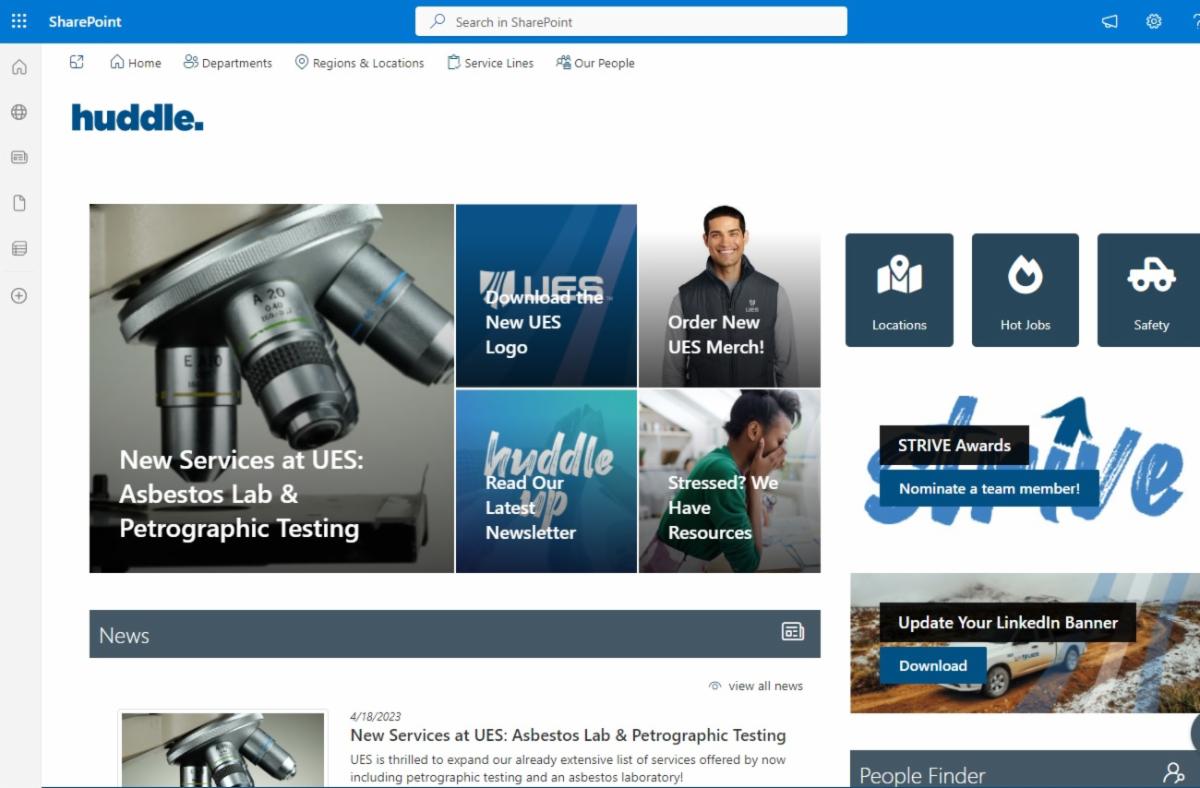
As we continue to come together as one Team UES, we'd love to invite you, our Rock Engineering team members, to check out Huddle, our enterprise-wide intranet.


Huddle Highlights:


  • On the homepage, you can keep up with company news, use the People Finder to find contact information of fellow UES team members, and give someone a Kudos on the homepage for a job well done!


Note: The UES LMS linked from the Human Resources department page, is not yet set up for the Rock team, but will be available in the future.

How to Access Huddle:

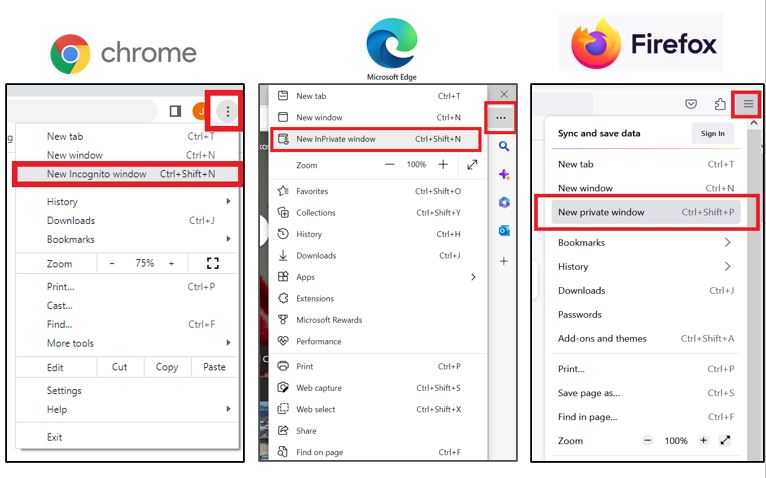
Step 1: Open a Private/Incognito Window in your preferred browser by clicking the menu in the upper right corner. See details here.

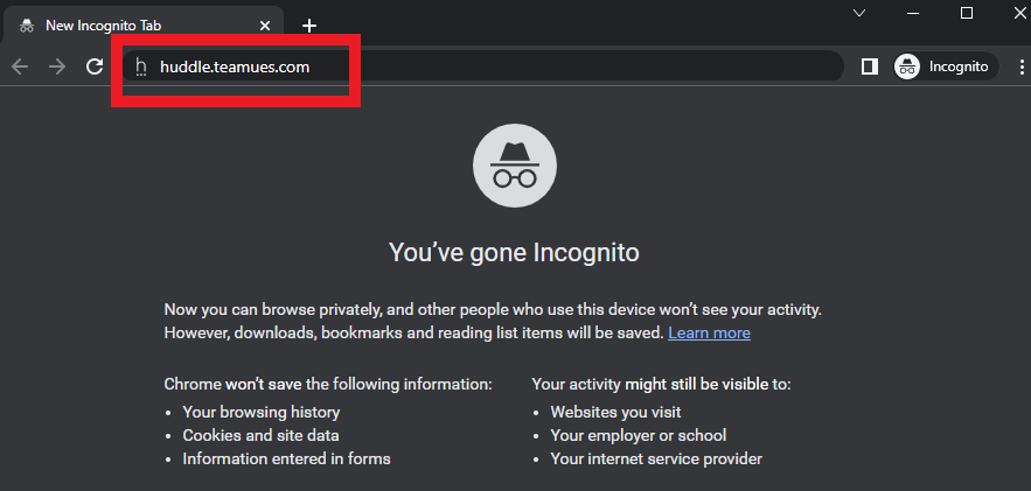
Step 2: Type huddle.teamues.com into your private/incognito window and hit enter. 

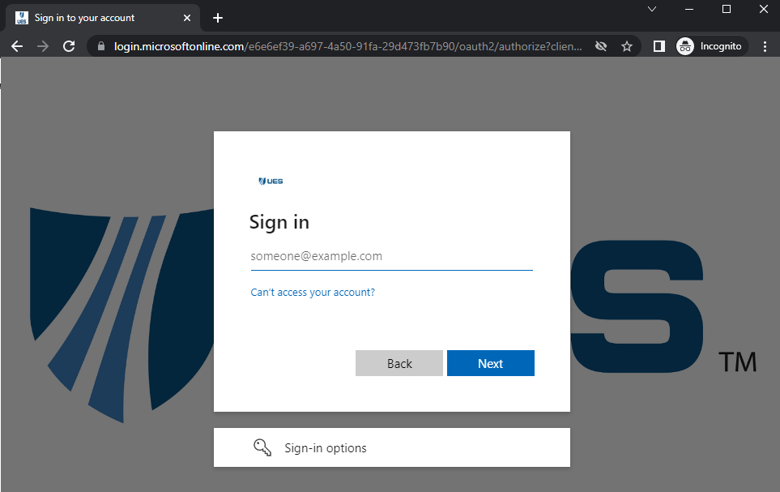
Step 3: Log in with your TeamUES username and password.


Your TeamUES username is: Please contact the UES Help Desk


Your temporary password is: Please contact the UES Help Desk


You will be prompted to change this password after you first log in. If you have any trouble with your access, please reach out the UES Help Desk at Helpdesk@teamues.com or at 407-544-9250.


Note: If you have previously used your TeamUES password to access ASTM's Compass portal, you may have already changed it. If you can't remember it, please reach out to the Help Desk.

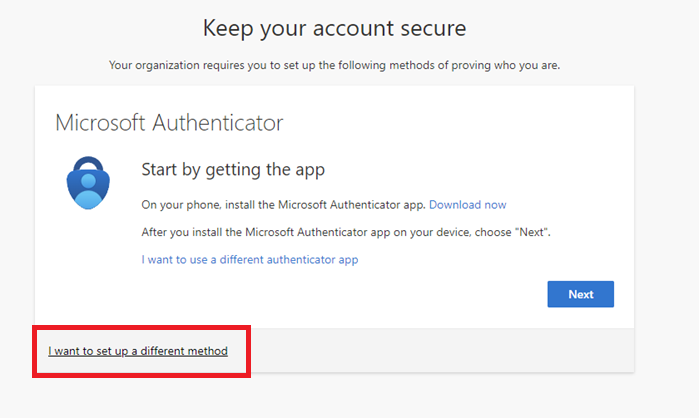
Step 4: You will likely be prompted to provide an additional way to confirm your identity, and doing so gives you another way to reset your password.


While you can follow the prompts to download and use the Microsoft Authenticator App, it may be simpler to click, "I want to set up a different method" and select "Phone," to use your preferred mobile device. Follow the prompts or see detailed walkthrough here.

After setting up your phone number, at any point in the future, you can visit this website: https://aka.ms/sspr to reset your TeamUES password using a code sent to your phone.


Or, if you prefer, you can still reach out anytime to the UES Help Desk at Helpdesk@teamues.com or 407-544-9250 to reset your retrieve your password.

Help Huddle Keep Growing with UES


Throughout this year, we're continuing to reformat Huddle's layout and expand the content. After you've had a chance to check it out, we'd love your feedback to continue to make it better as we grow!

Share Your Huddle Feedback

Once again, if you have any trouble accessing Huddle, please reach out the UES Help Desk at Helpdesk@teamues.com or at 407-544-9250.


If you have general questions, corrections or additions to the content on Huddle, please reach out to Communications@teamues.com. Thank you!


This information is for internal use only. Please do not share externally.

Visit us online at teamues.com

Follow us on Social Media:
Facebook  Linkedin  Youtube  Instagram