Staff Communications

Information for Courts Users on

Access to the Pinal County Intranet

Pinal County recently relaunched its Employee Intranet, and we want to ensure that staff working within the Superior Court and Clerk of the Court understand how to gain access to this important resource.


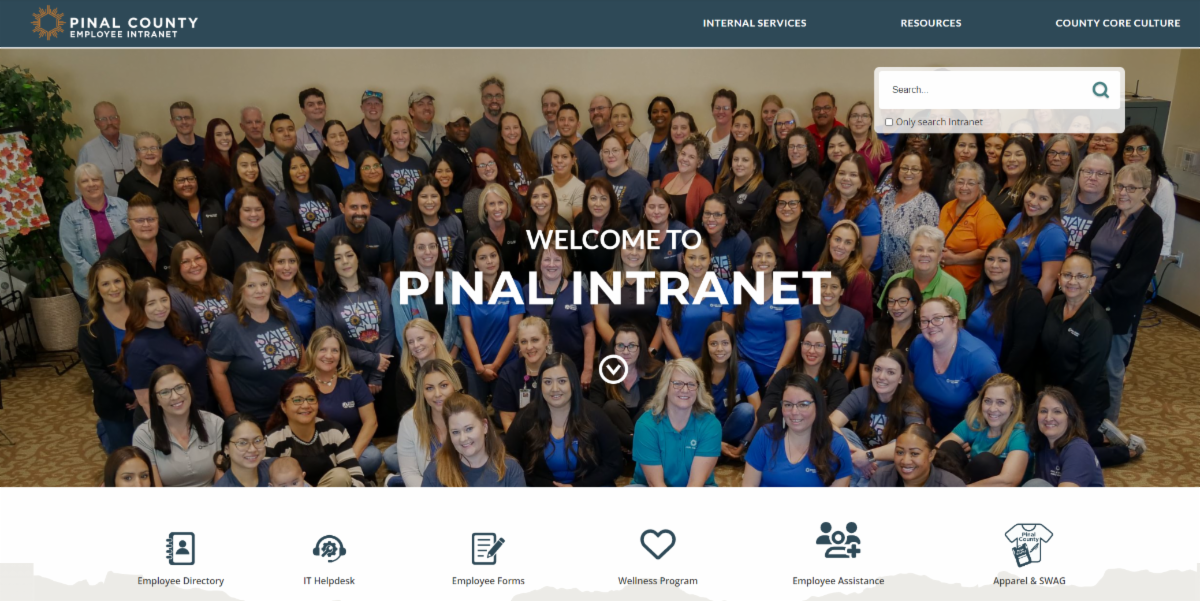
The Pinal County Employee Intranet is your one-stop shop for a range of information, including health and wellness, the latest County news, recognition, apparel, and travel reduction. Plus, access to County services such as Facilities, Fleet, IT, Salvage, and Risk Management. And it's where you can gain access to the employee self-service portal to review your paychecks!

Step by Step Instructions

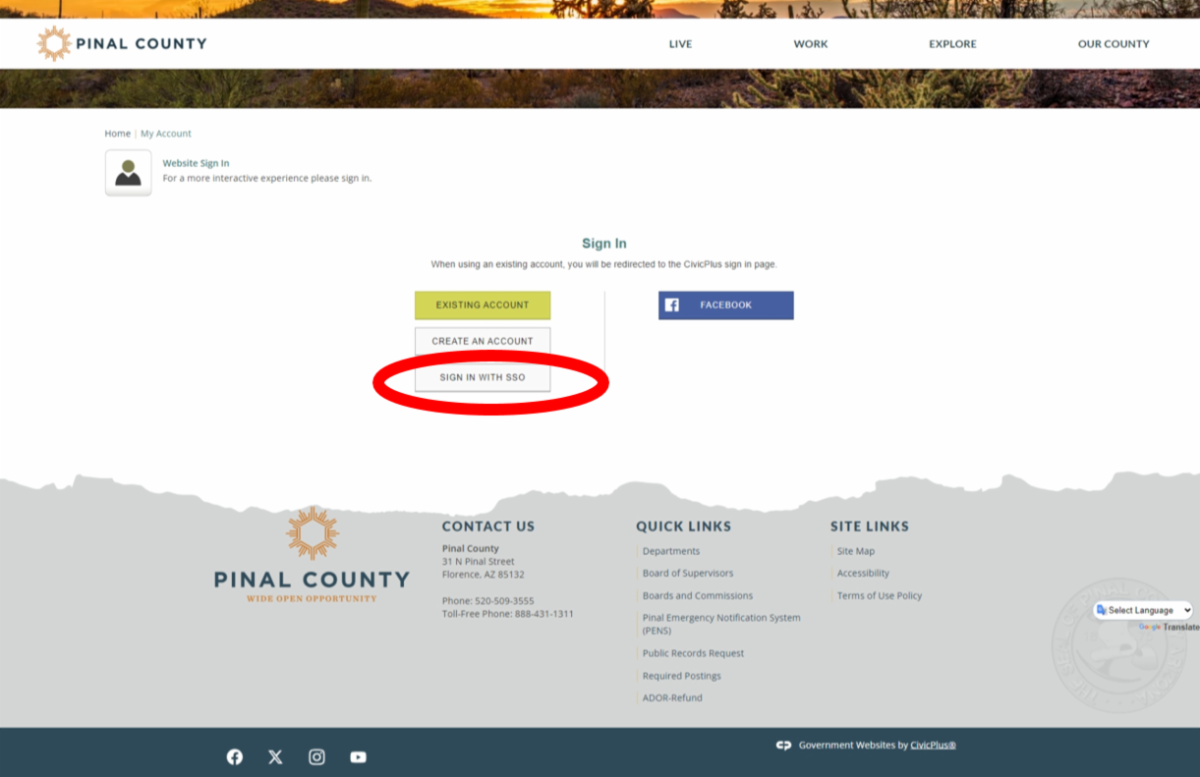
1) Visit the Intranet at Intranet.pinal.gov. You will be presented with the screen below.

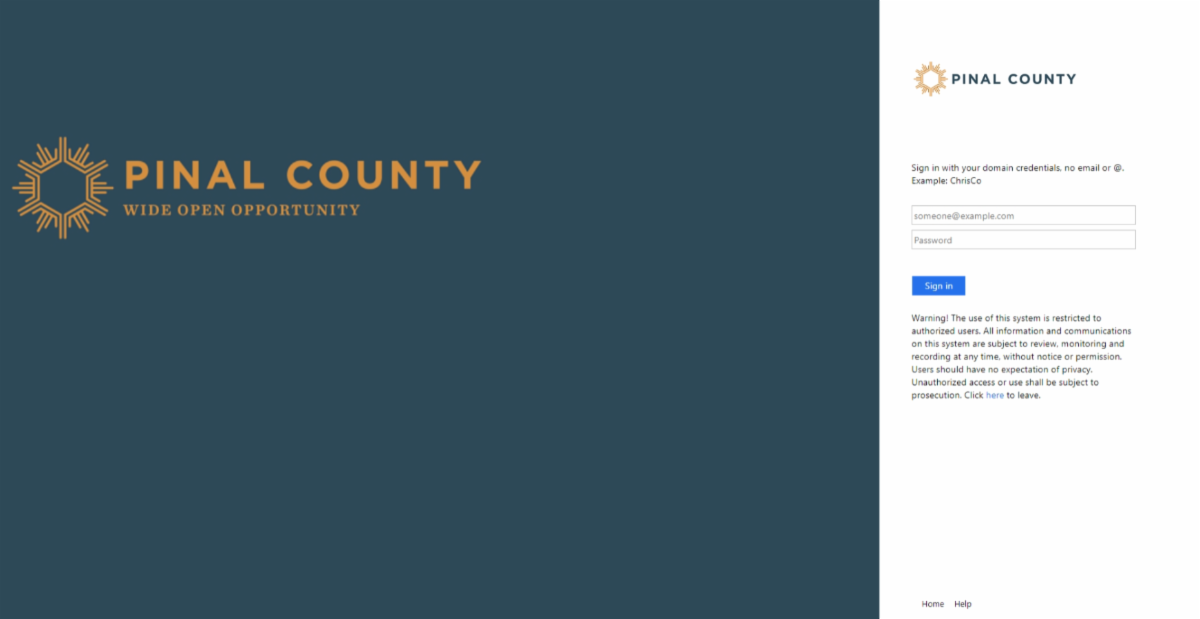
2) Click the option to Sign In with SSO. You will be presented with the screen below.

3) Sign in with your Pinal County Username and Password. Do not use your Court email! Your ID generally consists of your first initial, last name and PC. For example MSmithPC. You will then be taken through to the Intranet and will see the page below. Explore!

I forgot My Password - Now What?

If you have forgetten your username or password, please call the Pinal County IT Helpdesk at x6652, or you can email ithelpdesk@pinal.gov.


Please note that passwords need to be reset every six months, so you will be prompted to change it at this time.

Two-Factor Authentication

Duo Mobile works with Duo Security's two-factor authentication service to make logins to the Pinal County network more secure. You can use this app anywhere outside of your office. This will be necessary when working from home. Click below to download Duo Mobile to your phone. 

Download Duo Mobile for iOS
Download Duo Mobile for Android
Facebook  X  Linkedin  Instagram  Youtube  

Produced by the Pinal County Communications and Marketing Department

Contact us at Communications@Pinal.gov