|
Saint John's Family,
The time has come for us to debut our new mass texting and Shelby Next App communication services! We're so excited to add an extra layer to our communication options and give YOU control of your church membership profile. The steps below are very detailed to give a seamless, user friendly introduction to these services. Please take your time in reading the instructions and if you have any questions contact India Rose, Communications Administrator or Antoinette Cheney, Parish Administrator.
TEXT MESSAGING SERVICES:
-
There is no cost to receive text messages from St. John's. If you have texting services through your cell phone provider and your cell phone number is correct in Shelby Next (our church membership database) you will automatically receive text messages from the church.
-
If you do not want to receive text messages from St. John's, simply respond to any text message you receive from St. John's with the word "STOP" and you will be automatically unsubscribed.
- We will only send text messages for: event reminders, last-minute updates, church office/PLC/PDO closures, and worship service cancellations or updates.
-
When you receive a text message from St. John's, it will appear as a short-code with the number "223-83" . We suggest saving that number in your contacts as
St. John's to make it easier to identify our texts quickly.
- Please note, if you have previously used ShelbyNext with another church and still receive messages from that church, it may appear as the same short-code.
SHELBY NEXT APP (Church Membership Database) DETAILS:
-
The Shelby Next App is a free app that can be downloaded on your cellphone or tablet.
- The Shelby Next database can also be accessed via a computer ( instructions below)
-
The Shelby Next App can only be accessed by parishioners of St. John's and is username/password protected. The primary email address we already have listed for you in Shelby Next will serve as your username. Each member will create their own password. (Instructions further below)
- Having access to Shelby Next will allow you to make changes or updates to your address, phone number, email address, and add a photo of yourself in the church database. You can also view your giving record.
-
Why would I add a photo? Utilizing the Shelby Next App will give you access to the St. John's online directory to find contact information for other parisioners who opt in to share their contact information. Adding a photo helps members identify one another, especially if a newer member.
-
If you would like to Opt-Out and not allow other members to see your basic contact information, email Antoinette Cheney, Parish Administrator. To Opt-In, no further action is required.
INSTRUCTIONS TO DOWNLOAD THE SHELBY NEXT APP ON A CELL PHONE AND TABLET
-
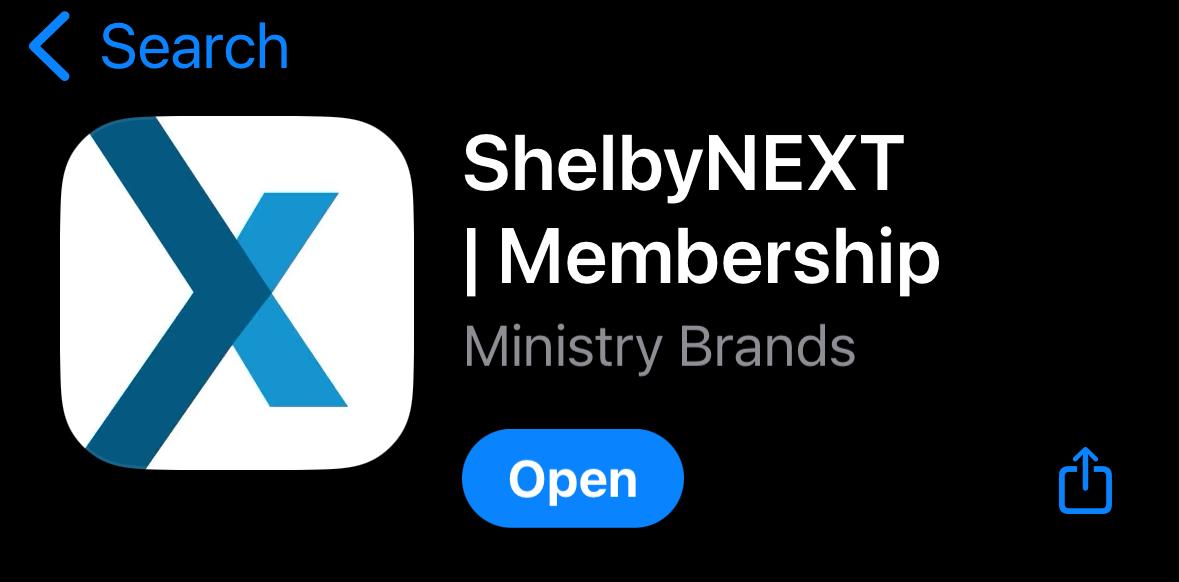
You download the Shelby Next app by opening your App Store app (Apple iPhone or tablets) or Google Play Store app (Android cellphones or tablets) and then search for "ShelbyNEXT | Membership". The app will look like the photo below.
|