Gini Mallory
Business Development Manager
- Good editing can fix a lot of problems after the shot. Be prepared with a good
editing app.
- Like with any camera, good composition is a must. Enable your
iPhone or
Android with grid lines to assist with positioning the subject.
- Nothing is more frustrating than nabbing the perfect shot and having the image blurry. Learn to properly focus your camera (
iPhone or
Galaxy).
- There are many ways to enhance your mobile phone photography. Refine and advance your skills for your specific device (
iPhone or
Android).
Website Safety Center
Kara Mueller
IT Support Specialist & Certified Computer Examiner
This
website could potentially save hours of virus cleanup by going to a bad website. The Website Safety Center is a great tool to check whether or not a web link is safe to visit. If, for example, you receive a strange looking link in an e-mail or search result, you can right click on the link to copy the address and then post it into this website. After clicking the "check now" button, the web link will be scanned and you will receive a result as to whether the website is safe or dangerous.
Safety Tips for Using Electronics Outdoors
Kara Mueller
IT Support Specialist & Certified Computer Examiner
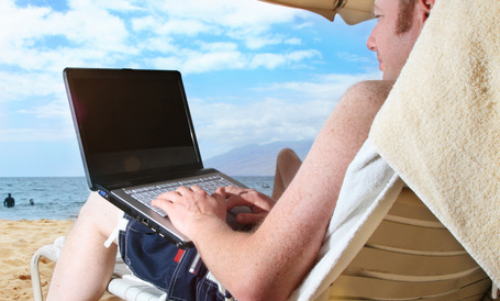
- Do not leave expensive electronics unguarded at the beach - in the sand or in your car. Thieves are always on the lookout for expensive items left unattended.
- Electronics and water do not mix! Be careful when taking electronics to the beach and use a waterproof case or even a plastic bag to help safeguard the device from sand and water.
- If your phone or tablet does get wet, putting it into a bowl or bag of rice (the sooner the better) to absorb the moisture might help save it. If possible, pull out the battery. Leave it for a few days before trying to turn it on. Keep in mind - water damage to a device may not be covered under the warranty. If you get sand on your device, use some compressed air to clean it out.
- Do not leave or use expensive electronics in direct sunlight or in a hot car. If using an e-reader outside, try to find a shady spot. Tablets and laptops already get hot from normal use, but using them while in direct sunlight on a hot day can cause your device to overheat. If you suspect a device is overheating (freezing, errors, acting slow or cutting off), stop using it and power it down.
- If a device has been exposed to heat, bring it into an air conditioned environment and give it some time to cool before turning it on and using it next.

Seltek welcomes
Jenefer Williams
as the new office administrator. Jenefer is an enthusiastic multi-tasker
who keeps the office organized and efficient. She is a native New Yorker who majored in theater production and later founded a legal document service. Jenefer currently sits on the Board of Associates for Lewis Ginter Botanical Garden and co-chairs the annual fund-raiser for her son's school.
Prior to joining Seltek, Jenefer most recently worked in the Real Estate industry. She is excited to now explore the Technology world and learn some helpful tricks along the way.
Fun fact: Jenefer owns the Mister Softee Ice Cream Truck franchise in Richmond.