โ€Š

One Cool Tip Newsletter

August 16, 2024

Your daily dose of tech-savvy brilliance!

๐Ÿ˜€Hello Rodger, Happy Friday, Cool Tipper!


Get ready to streamline your digital life with simple, actionable tips delivered straight to your inbox.


Today's Cool Tip Theme: Fun with Maps!


IN THIS ISSUE


  • ๐ŸŒŸ Tech-Savvy Brilliance: Your daily dose of simple, actionable tech tips.


  • ๐ŸŒ Explore National Parks with Traveler Map
  • ๐Ÿ—บ๏ธ What is OpenStreetMap?
  • ๐Ÿ“ˆ Google Maps by the Numbers.
  • ๐Ÿš— How to use Waze on the web.
  • โ›ฝ Gas stations and prices with Google Maps.
  • ๐Ÿ Google Maps Snake game.


  • ๐Ÿ˜‚ Laugh with Us! Enjoy our Tech Joke of the Day, Haiku and Cool Tip Comics.

๏ปฟ

  • ๐ŸŒ Stay Informed! Check out Cool News, ICYMI, and our One Cool Tip Video.


New here? Subscribe to the One Cool Tip Newsletter for daily updates. It's FREE!


๐Ÿ”” Is your email provider (Gmail, Yahoo, Outlook...) not delivering the newsletter? 


Check the Junk folder - Move the newsletter to your Inbox. And reply to this email with a โ€œHey, Rodgerโ€ or โ€œI got it.โ€ That tells your mail service you want this newsletter!


Today's Tech Trivia


Which internet map service introduced Street View, allowing users to explore locations at ground level through 360-degree panoramic images?


A) MapQuest

B) Google Maps

C) Bing Maps

D) OpenStreetMap


Answer at end.

3๏ธโƒฃ

If you enjoy the One Cool Tip newsletter, please forward this newsletter to THREE friends or colleagues or share it on social media using the links below.


Share this One Cool Tip Newsletter!

X Share This Email
LinkedIn Share This Email
Pinterest Share This Email


Cool Thoughts

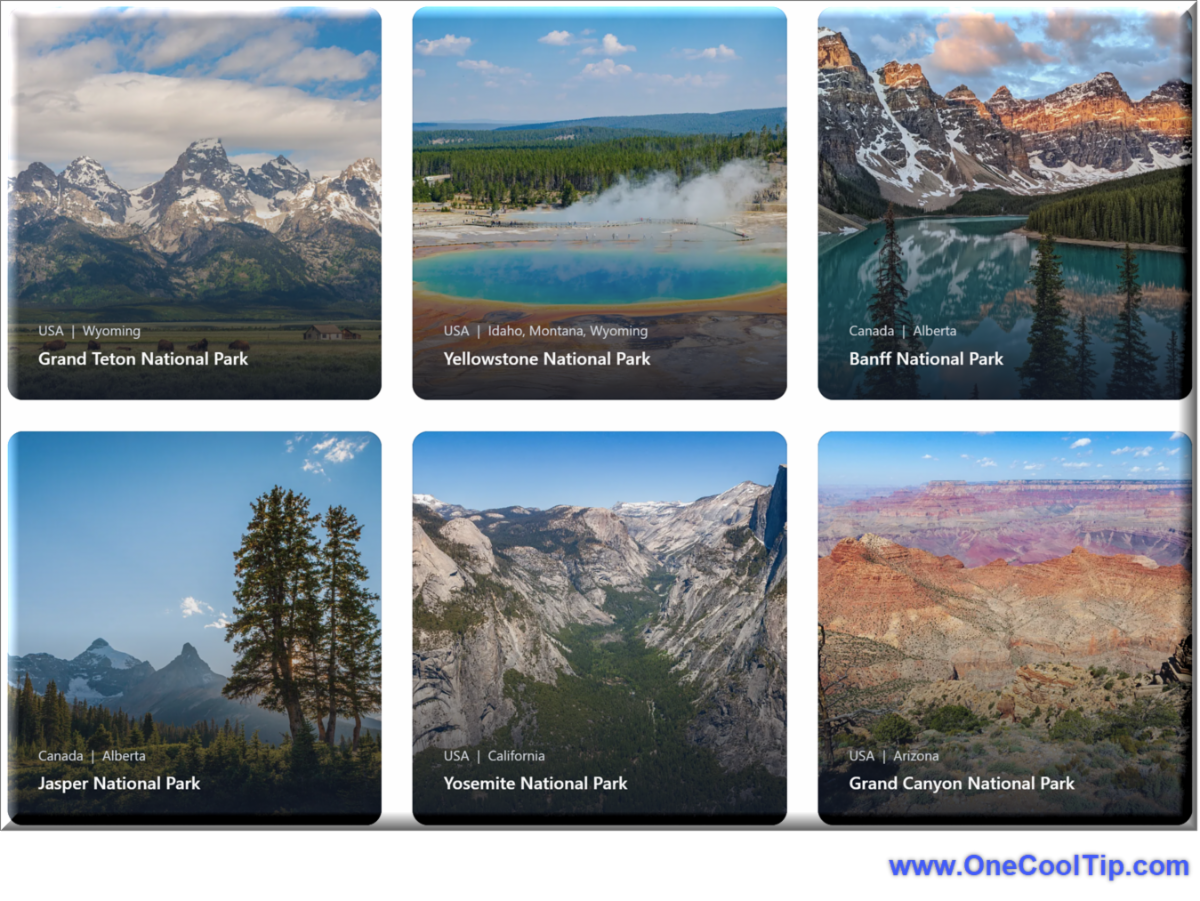
๐ŸŒžToday's One Cool Tip Shows How to Explore National Parks in the USA and Around the World.


Ready to explore the majestic landscapes of USA and World National Parks?


Traveler Map is your key to unlocking unforgettable adventures.


This comprehensive guide will walk you through how to use Traveler Map effectively to plan your next park visit, from finding hidden gems to optimizing your itinerary.


Read the full Cool Tip HERE.


๐Ÿ†’Tell Me More About OpenStreetMap


Traveler Map uses OpenStreetMap for its maps. Here's more info about this free map service.


What is it?


  • A collaborative project to create a free and editable map of the world.  
  • Built and maintained by a global community of volunteers.  
  • Data is collected through various methods like GPS traces, aerial imagery, and local knowledge.  
  • Licensed under the Open Database License (ODbL), allowing anyone to use, distribute, and improve the data.  


Key Features


  • High level of detail: Often surpasses commercial maps, particularly in less populated areas, thanks to local contributors.
  • Customizable: Can be tailored to specific needs, like highlighting hiking trails or cycling routes.  
  • Open and transparent: Data is freely accessible and the project's development is transparent.  
  • Community-driven: Thrives on the contributions and collaboration of its users.  


Who uses it?


  • Individuals: For navigation, exploring new places, and discovering points of interest.
  • Developers: To build custom map applications and integrate mapping into their projects.
  • Organizations: Humanitarian organizations use it for disaster response and mapping underserved areas.  
  • Businesses: To provide location-based services or display maps on their websites.  


Advantages


  • Free to use: No licensing fees or restrictions on how the data can be used.  
  • Highly detailed and accurate: Particularly in areas where commercial maps may lack coverage.
  • Constantly evolving: The map is always being updated and improved by its community.  
  • Supports innovation: Its open nature fosters creativity and the development of new mapping applications.


๐Ÿ”ข By the Numbers


Here are some interesting facts about Google Maps, complete with sources and URLs:


  • Over 1 billion monthly active users worldwide: This makes Google Maps the most popular navigation app globally. Source.


  • Over 158 million monthly unique users in the US alone: Google Maps dominates the US market as well, with a vast user base relying on it for navigation and exploration. Source.


  • The Google Maps app has been downloaded over 5 billion times on the Play Store: This staggering number highlights the app's widespread popularity and adoption. Source.


  • Google Maps receives over 69,000 search queries per second: This translates to billions of searches every day, showcasing the immense volume of information people seek through Google Maps. Source.


  • More than 1 billion kilometers are driven by Google Maps users every day: Google Maps plays a crucial role in facilitating daily travel and navigation across the globe. Source.


  • Google Maps has gathered more than 20 petabytes of data since its launch: This massive amount of data powers the platform's extensive features and capabilities. Source.


  • Over 5 million apps and websites use Google Maps APIs: Google Maps' influence extends beyond its standalone app, as countless other platforms leverage its technology for mapping and location-based services. Source.


โœ… Must-Read Tech Tips.


๐Ÿ‘€ How Do I Use Waze on the Web?


Access real-time traffic updates, find gas stations, report hazards, and even earn points - all without draining your phone's battery or squinting at a tiny screen.


Here's how to do it.


  1. Head to: https://www.waze.com/ on your desktop or laptop.
  2. Allow location access
  3. Waze needs to know where you are to show you relevant traffic and directions.
  4. Enter your destination and choose your preferred route. 
  5. Waze on the Web shows real-time traffic conditions so you can avoid jams and choose the fastest path.
  6. See live traffic updatesaccidentspolice traps, and even gas prices along your route. 
  7. Report hazardsaccidents, and road closures to help other drivers on the road. 
  8. Save your driving route instructions to your mobile phone Waze app by selecting the "Save to app" button.


Discover more HERE.


๐Ÿค” Have You Ever Wondered How to Find Gas Stations and Gas Prices?


Gas prices are always on the rise, and it can be hard to find the best deal. 


But with Google Maps, you can easily find the cheapest gas stations near you.


So next time you're looking for gas, don't forget to use Google Maps.


Here's how to do it.


  1. Open Google Maps.
  2. Tap Gas under the search bar (or enter Gas or Fuel in the search box).
  3. Youโ€™ll see nearby gas stations and prices on the map and at the bottom of the screen.
  4. Tap the name of the gas station to see more about the station including specific prices for various grades of gasoline.


Learn more HERE.


๐Ÿ™‹โ€โ™‚๏ธ Here's How to Play the Google Maps Snake Game


It's a fun way to pass the time while you're waiting for directions or just exploring a new city.


Here's how to do it.


  1. Open Google Maps Snake at https://snake.googlemaps.com/ 
  2. Click Start.
  3. Select a City
  4. Read the game instructions.
  5. Select Got It.
  6. Control the snake by using the arrow keys on your keyboard or by swiping on your mobile device. 
  7. The goal is to eat as many food items as possible without hitting yourself or the walls.


Get more HERE.


โ“Did you share this newsletter with three friends yet?


โŒจ๏ธToday's Cool Keyboard Shortcuts


Here are some handy Google Maps keyboard shortcuts to enhance your navigation experience:


  • . : Show/hide menu
  • , : Show/hide side panel
  • Ctrl Shift 1:  Show/hide satellite
  • Ctrl Shift 2:  Show/hide traffic
  • Ctrl Shift 3:  Show/hide transit
  • Ctrl Shift 4:  Show/hide bicycling
  • Ctrl Shift 5:  Show/hide terrain


Tip: To access the full list of keyboard shortcuts within Google Maps, press Ctrl + / (Windows) or Command + / (Mac).


โœ๏ธToday's Haiku


Digital guide unfolds,

Uncharted paths now revealed,

World at my fingertips.


๐Ÿ”Ž Do you have a Cool Tip or question? Email us at onecooltip.com@gmail.com


๐Ÿ˜œ Tech Joke of the Day๐Ÿ˜…


Whatโ€™s a mapโ€™s favorite music band? 


Maroon 5 minutes away from your destination!


Today's Cool Tip๏ปฟ

Unlock the Beauty of USA and World National Parks with Traveler Map

Ready to explore the majestic landscapes of USA Parks? Traveler Map is your key to unlocking unforgettable adventures. This comprehensive guide will walk you through how to use Traveler Map effectively to plan your next park visit, from finding hidden gems to optimizing your itinerary.


Read the One Cool Tip


Cool Deals of the Day

๐Ÿ†’ Looking for cool new things?


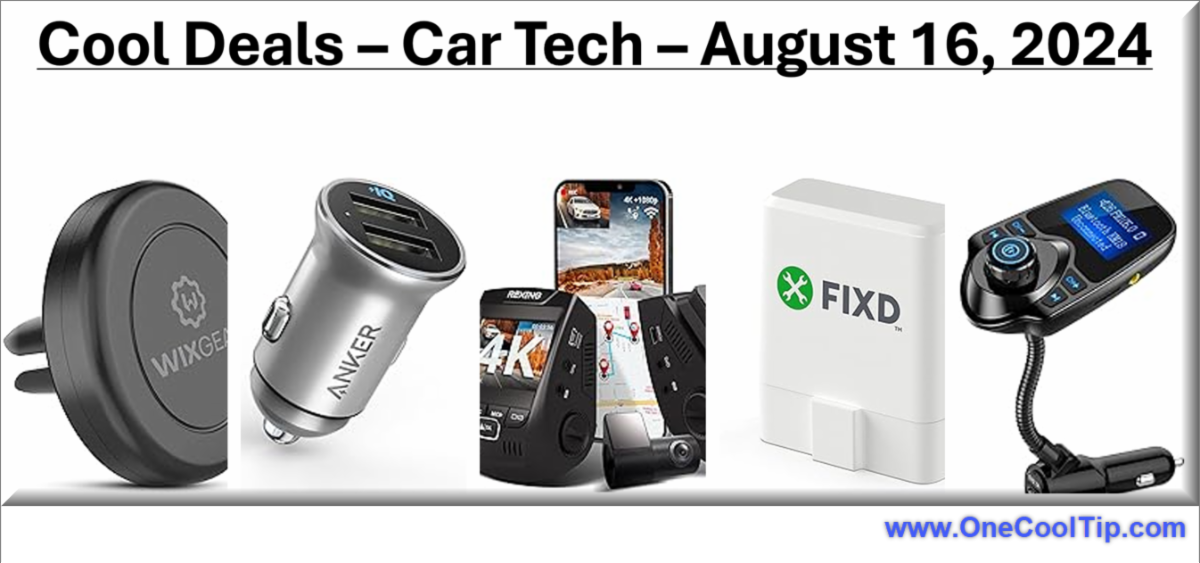
๐Ÿš— Stay Charged on the Go! โšก Never run out of battery again with this powerful car charger. Grab yours today!


๐Ÿ‘‰ Anker Car Charger


๐ŸŽต Crystal-Clear Audio, Wirelessly! ๐ŸŽง Upgrade your car's sound system with this Bluetooth FM transmitter. Tune in now!


๐Ÿ‘‰ Nulaxy Bluetooth FM Transmitter


๐Ÿ‘€ Safety First, Always! ๐ŸŽฅ Capture every moment on the road with this high-definition dash cam. Drive with peace of mind!


๐Ÿ‘‰Rexing 2.4" LCD 2160p Dash Cam


๐Ÿ“ฑ Hands-Free Convenience! ๐Ÿงฒ Keep your phone securely mounted and within reach with this magnetic car phone holder. Stay connected safely!


๐Ÿ‘‰ WizGear Universal Air Vent Magnetic Car Mount Holder


๐Ÿ› ๏ธ Diagnose Car Troubles Like a Pro! ๐Ÿ”ง Understand your car's health with this easy-to-use OBD2 scanner. Take control of your car's maintenance!


๐Ÿ‘‰ FIXD OBD2 Professional Bluetooth Scan Tool & Code Reader

๏ปฟ


Cool Tip Pulse

๐Ÿ—บ๏ธ What's your biggest frustration when using online maps?
๐Ÿ“ Inaccurate or outdated information
๐Ÿ”€ Confusing or overly complex directions
๐Ÿ“ต Poor performance in areas with weak signal
๐ŸŒ Slow loading times or laggy interface


Fuel Your Adventure

Try Big Mike's Jerky! - bigmikesjerky.com


Cool News Around the Web

Check out these news links:


Did You See These Cool Tips This Week?

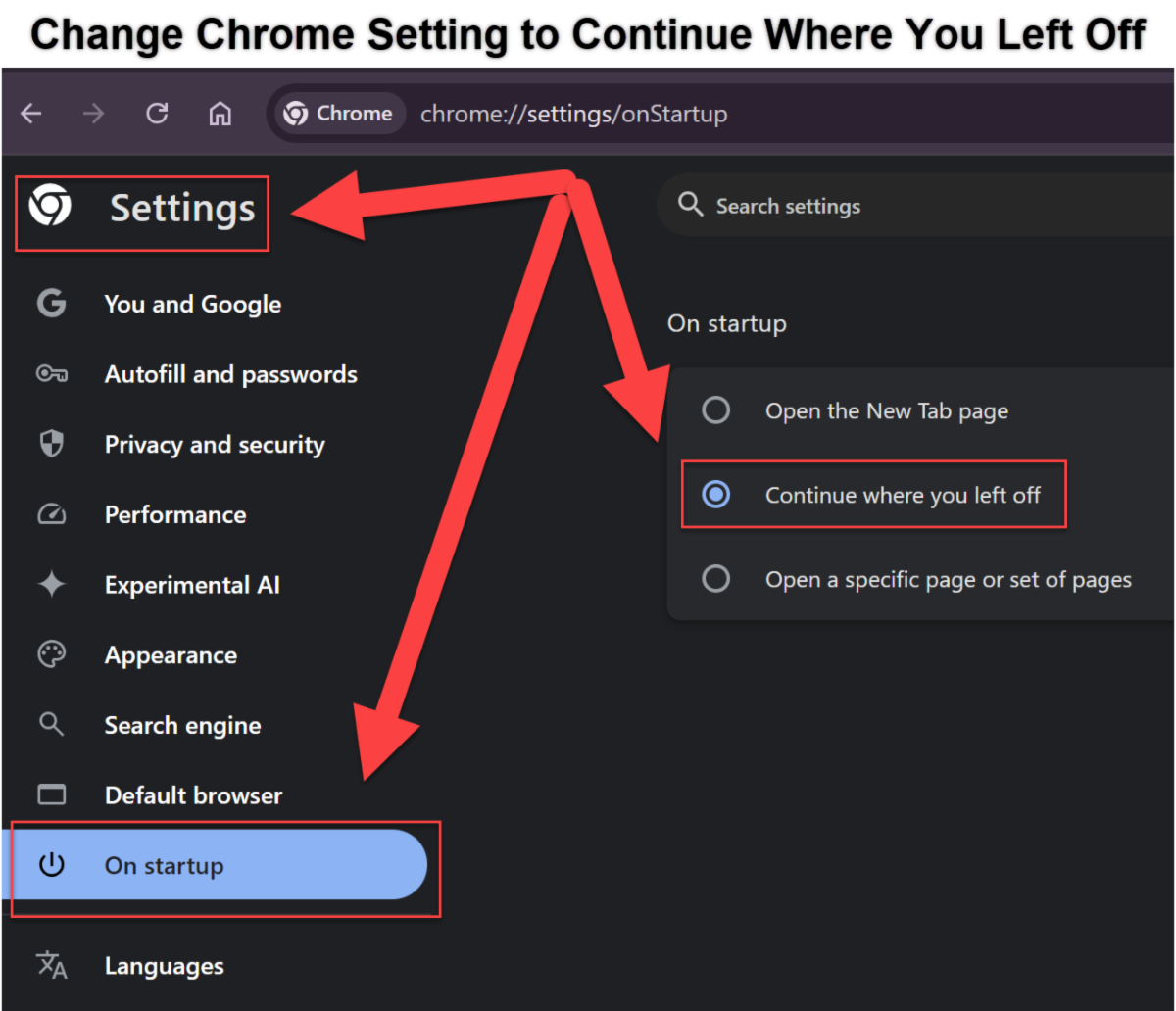
Boost Your Productivity: Master the "Continue Where You Left Off" Setting in Chrome

Discover how to configure Chrome's "On startup" settings to seamlessly pick up where you left off, boosting your productivity and streamlining your browsing experience.


Read the One Cool Tip

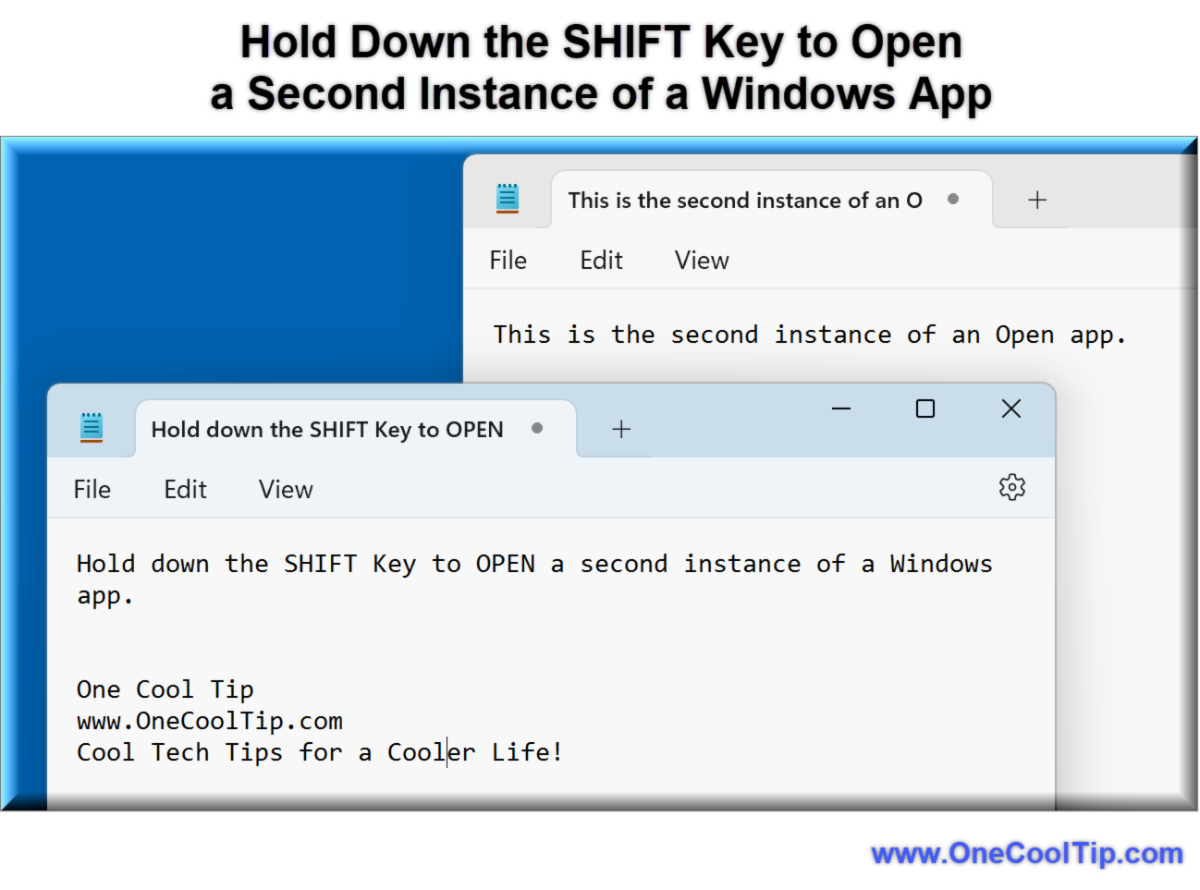
Master the Art of Opening Multiple App Instances in Windows

Discover the simple yet powerful trick of opening a second instance of any app in Windows with just a shift key hold, transforming your multitasking experience.

Read the One Cool Tip


Find Your Adventure

Looking for your next adventure?


Call Denise at Travel For You.

314.660.3039


http://www.travelforyouvacations.com/


https://www.facebook.com/TRAVEL.FOR.U/


One Cool Tip Favorite Thing

Upgrade Your Garage, Upgrade Your Life: Introducing the Chamberlain C2405 myQ Smart Garage Door Opener

Tired of wondering if you left the garage door open? 


It's more than a garage door opener; it's peace of mind, convenience, and a whole lot of extra time back in your day.


Buyhttps://amzn.to/3V8D18J


Check Out These Cool Things!
โ€Š


ICYMI - In Case You Missed It ...

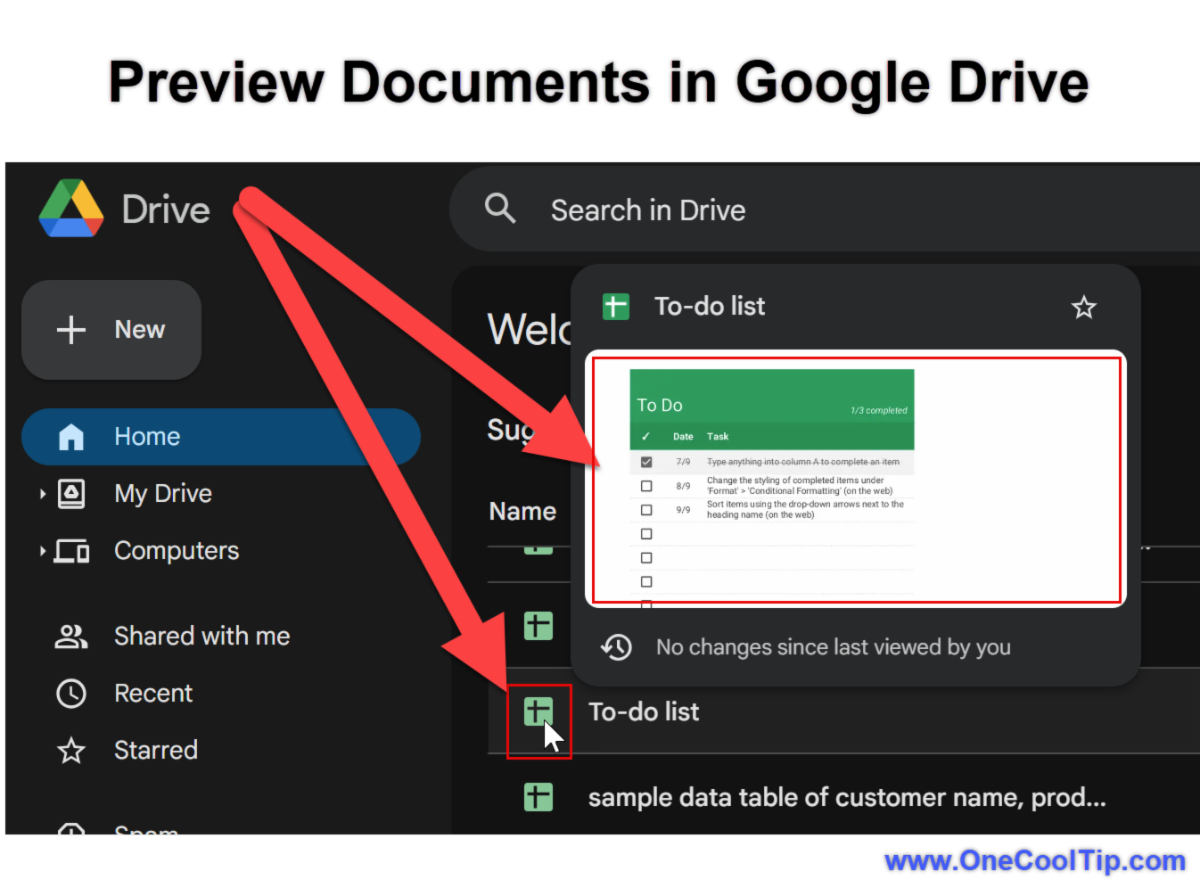
Google Drive Hover Previews: Your Quick Glimpse into Files (and How to Use Them

Google Drive's new hover preview feature lets you quickly scan file details without opening them. Learn how to use this time-saving tool and boost your workflow efficiency.

Read the One Cool Tip


One Cool Tip Video

Ride the Digital Wave: How to Play the Surf Game in Microsoft Edge


๏ปฟEver felt like catching a wave while browsing the web? 


Watch


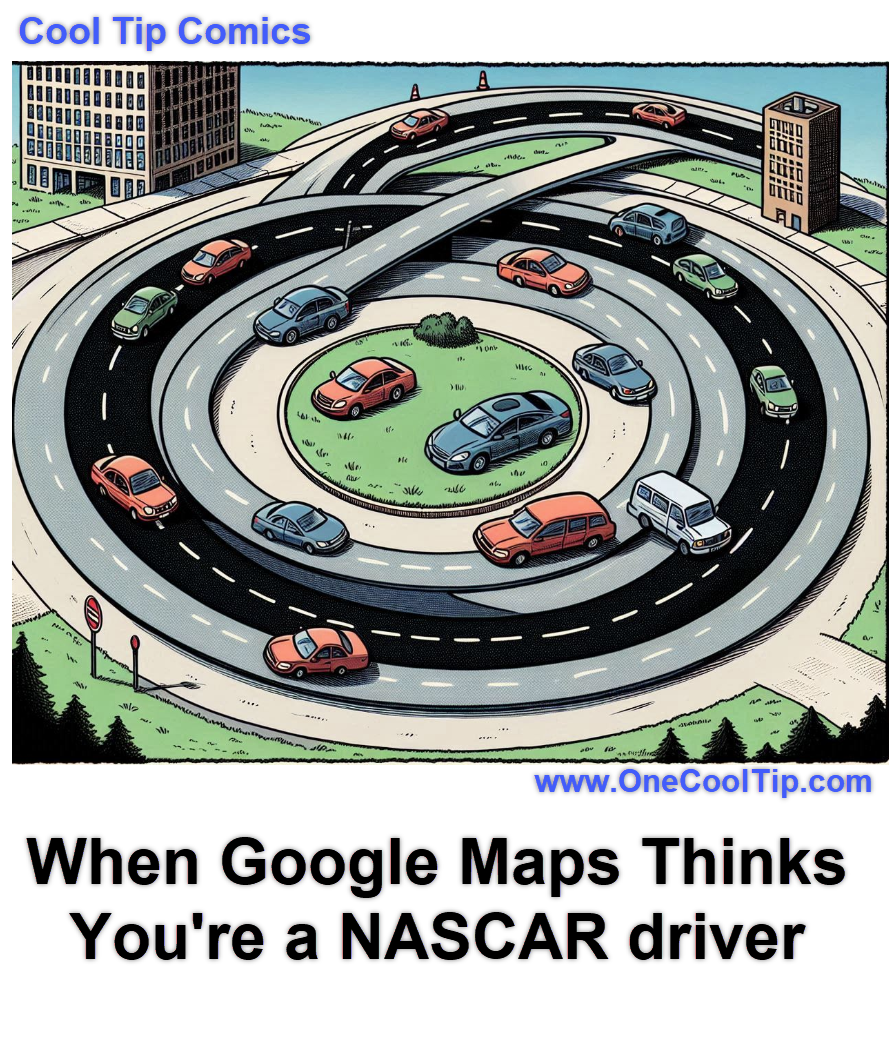
Cool Tip Comics

Some days it does seem like a race driving to work!


See You Tomorrow

Answer:  B) Google Maps


Google Maps revolutionized online mapping when it launched Street View in 2007.


This feature allows users to virtually "walk" down streets and explore locations as if they were there in person.


It uses 360-degree panoramic images captured by special cameras mounted on cars, trikes, and even backpacks.


Street View has become an invaluable tool for everything from planning trips and exploring new neighborhoods to checking out businesses and landmarks before visiting them in person.


It has also been used for artistic projects, historical preservation, and even scientific research.


----------


Tomorrow's Cool Tip is waiting to amaze you.


Until then, go forth and conquer the tech world with your newfound knowledge!


And be sure to visit www.OneCoolTip.com for Cool Tech Tips for a Cooler Life!


Enjoy!

๏ปฟ


Rodger

Chief Cool Tipper

onecooltip.com@gmail.com


What Do You Think?

What do you think of today's OneCoolTip newsletter?
๐Ÿ‘ Great
๐Ÿ˜ OK
๐Ÿ‘Ž Terrible

Please Share the One Cool Tip Newsletter!


๏ปฟYou asked for it. You got it. There is now a One Cool Tip Newsletter archive. Did you delete a newsletter and want to read it again? Check it out HERE.


Want to help One Cool Tip grow? Please forward this email using the link above. And if you see an OCT social media post, please LIKE, COMMENT and SHARE!


Have you subscribed to the One Cool Tip YouTube channel? Subscribe HERE.

X Share This Email
LinkedIn Share This Email

Connect with One Cool Tip!!

Facebook  X  Instagram  Web  Pinterest  YouTube  LinkedIn
โ€Š

As an Amazon Associate, One Cool Tip may earn a small commission from qualifying purchases.


Our media content is intended solely for informational purposes only. Please do not construe anything here as legal, tax, investment, financial, marital or other advice.


Copyright ยฉ 2024 | www.OneCoolTip.com | All Rights Reserved


โ€Š