โ€Š

One Cool Tip Newsletter

June 21, 2024

Your daily dose of tech-savvy brilliance!

๐Ÿ˜€Hello Rodger, Happy Friday Funday, Cool Tipper!


Get ready to streamline your digital life with simple, actionable tips delivered straight to your inbox.


IN THIS ISSUE


  • ๐ŸŒŸ Tech-Savvy Brilliance: Your daily dose of simple, actionable tech tips.


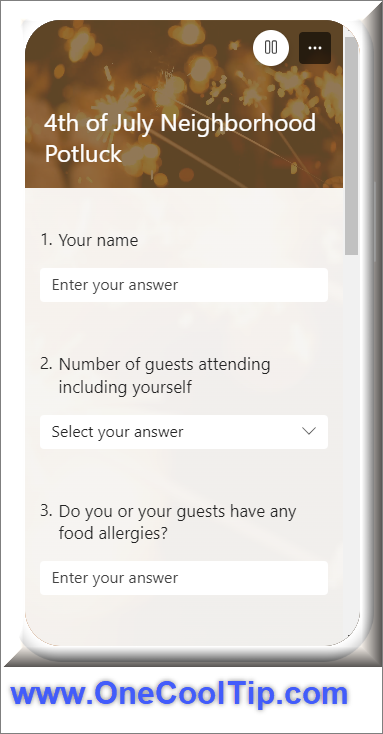
  • ๐Ÿ“ How to use Microsoft Forms to collect responses.
  • ๐Ÿ˜‚ Friday Funday: Prank yourself and others with a fake Windows update screen.
  • โŒจ๏ธ Improve your typing skills.
  • ๐ŸŒŽ Random Street View.
  • ๐ŸŽฎ Free Online Games.
  • ๐ŸŽฒ Level up your Friday Night game night.
  • ๐Ÿ” Explore the mind-bending world of Zoom Quilt.
  • โŒจ๏ธ Keyboard Shortcuts "M".


  • ๐Ÿ˜‚ Laugh with Us! Enjoy our Tech Joke of the Day and Cool Tip Comics.

๏ปฟ

  • ๐ŸŒ Stay Informed! Check out Cool News, ICYMI, and our One Cool Tip Video.


New here? Don't forget to Subscribe to the One Cool Tip Newsletter for daily updates.


Today's Tech Trivia


Which of the following file formats is NOT a standard Microsoft Office file format?


A) .docx

B) .xlsx

C) .pptx

D) .psd


Answer at the end.

3๏ธโƒฃ

If you enjoy the One Cool Tip newsletter, please forward this newsletter to THREE friends or colleagues or share it on social media using the links below.


Share this One Cool Tip Newsletter!

X Share This Email
LinkedIn Share This Email
Pinterest Share This Email


Cool Thoughts

๐Ÿ“Today's One Cool Tip - Business Bytes - highlights how to use Microsoft Forms to collect responses.


Guest Cool Tipper Amanda Hartley shows how to save time and effort the next time you need to ask multiple people the same questions. Read the full tip HERE!


Are you just getting started with Microsoft Forms?


Microsoft Forms, part of Microsoft 365, is a powerful tool for creating surveys, quizzes, and polls. Here are some tips to help you get the most out of it:


Design and Functionality


  • Clear and Concise Questions: Keep questions short and focused. Avoid jargon or complex language.
  • Branching Logic: Use branching logic to tailor the questions based on respondents' previous answers. This can make the form more relevant and engaging.
  • Variety of Question Types: Utilize different question types like multiple-choice, rating scales, and open-ended questions to gather diverse data.
  • Theme Customization: Personalize the look and feel of your form with custom themes and images.


Sharing and Collaboration


  • Multiple Sharing Options: Share your form via direct link, QR code, email, or embed it on a webpage.
  • Collaborate in Real-time: Work with others to create and edit forms simultaneously.
  • Email Notifications: Set up notifications to receive an email whenever someone submits a response.


Data Analysis and Reporting


  • Real-time Results: View responses as they come in and track progress.
  • Excel Integration: Export responses to Excel for in-depth analysis and reporting.
  • Built-in Analytics: Microsoft Forms offers basic analytics to visualize response data.


Additional Tips


  • Preview Your Form: Always preview your form before sharing it to ensure it looks and functions as expected.
  • Test with a Small Group: Share your form with a small group of people to get feedback and identify any issues.
  • Use Built-in Templates: Microsoft Forms offers a variety of templates to get you started quickly.
  • Thank You Page: Customize the Thank You page to express gratitude and provide additional information or links.


๐Ÿ˜ Today's Friday Funday Cool Tip show how to prank yourself and others with a fake Windows update screen. Read the full tip HERE!


โœ… Let's check out some more Cool Tips.


๐Ÿ‘€ Do you want to improve your typing? Make it fun. Here's how to do it.


  1. From a PC, navigate to Typing.com.
  2. Create an account or log in if you already have one.
  3. Select "Games" from the menu.
  4. Find the Keyboard Jump icon.
  5. Or go directly to Keyboard Jump game.
  6. Click "Play."
  7. Choose your level: Start with Beginner if you're new or jump straight into Intermediate or Advanced for a challenge.
  8. Type away! Words will appear on the screen. Type them correctly to propel your character forward and avoid hazards.
  9. Collect coins and power-ups.
  10. Level up and unlock new worlds.


๐Ÿค” Have you ever wish you could teleport to some random corner of the globe? Do you get that feeling of wandering a distant city without leaving your chair? Check out the Random Street View.


โ“๐ŸŽฎ Did you know you can play FREE online games?


Here's how to do it.


  1. Open your preferred web browser and navigate to MSN.com.
  2. Browse through the categories: โ€˜Staff Picksโ€™, โ€˜Newโ€™, โ€˜Arcadeโ€™, โ€˜Strategyโ€™, โ€˜Puzzlesโ€™, and more.
  3. Click on a game that piques your interest.
  4. Wait for the game to load and click โ€˜Play Nowโ€™.


๐Ÿ—๏ธ Looking for new games for Friday Night Game Night? Try these cool game things.


  • ๐ŸŽฒ Level Up Your Game Night: Gather your friends for a night of laughter and strategy with this classic tile-matching game. Get ready to shout "Rummikub!" Buy now: Pressman Rummikub $17.99


  • ๐Ÿš‚ All Aboard the Adventure: Embark on a thrilling journey across North America, collecting sets of colored train cars to claim railway routes. Connect cities, complete tickets, and become the ultimate railway tycoon! Buy now: Ticket to Ride Board Game $43.97


  • ๐Ÿค” Challenge Your Mind: Put your problem-solving skills to the test with this award-winning strategy game. Build settlements, trade resources, and outwit your opponents to become the ruler of Catan! Buy now: Catan Board Game $43.78


  • ๐ŸŽง Immerse Yourself in Sound: Enhance your gaming experience with these high-quality headphones. Enjoy crystal-clear audio, comfortable earcups, and a noise-canceling microphone for seamless communication with your teammates. Buy now: HyperX Cloud Stinger Core Wireless (for PC) $49.99


๐Ÿ”Have you ever wished you could zoom into a picture forever, discovering new details and hidden worlds within?  Discover the mind bending world of Zoom Quilt. Read more HERE.


โŒจ๏ธToday's Cool Tips are brought to you by the letter M. Try these cool "M" keyboard shortcuts


Windows Shortcuts:


  • Win + M: Minimize all windows.


Microsoft 365 Apps (Office):


  • Alt + M: In Microsoft Excel, this opens the โ€œFormulaโ€ tab on the ribbon.
  • Ctrl + M: Indent paragraph (Word, PowerPoint, Outlook)


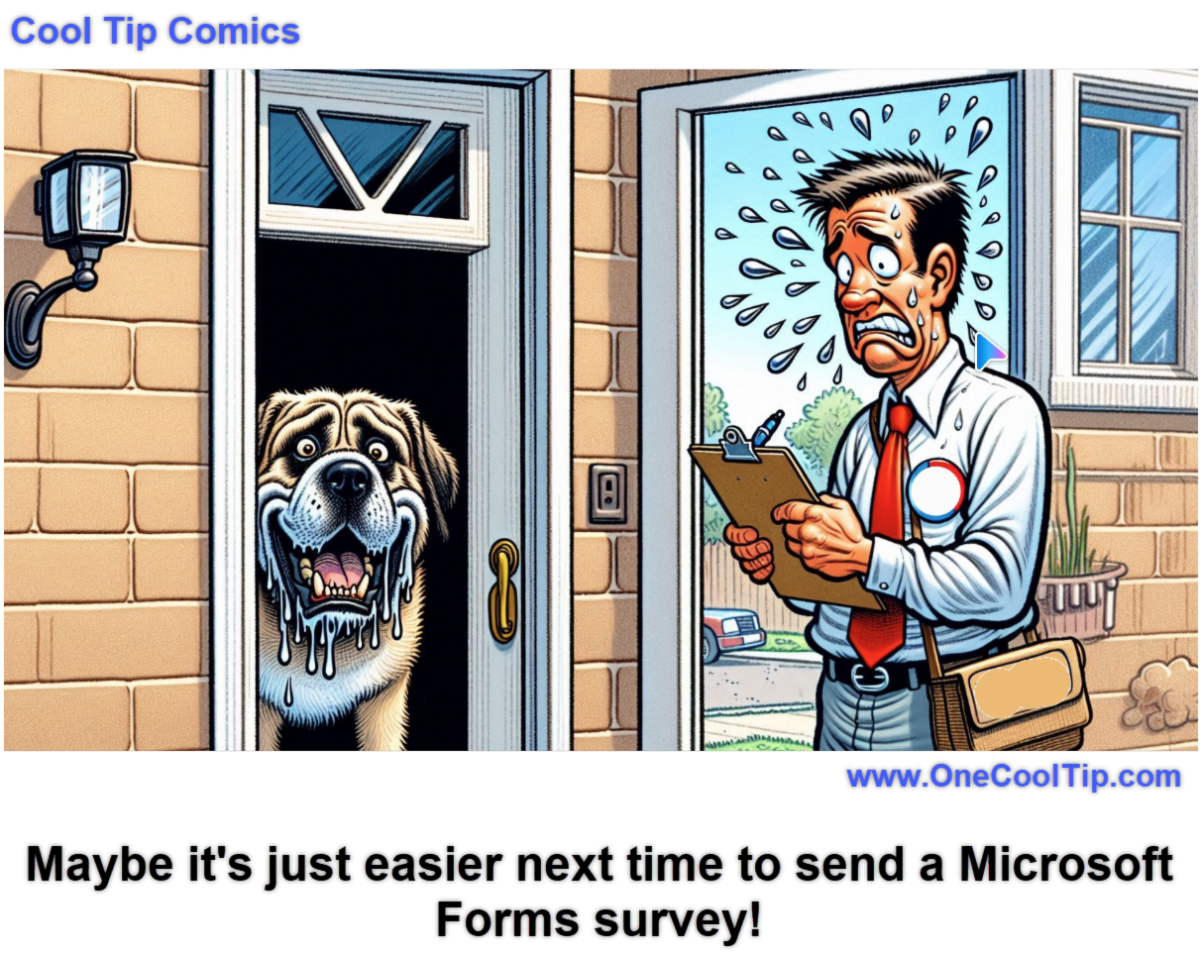
โœ๏ธToday's Haiku brought to you by that pollster who just knocked on your door.


Questions whispered soft,

Answers echo in the breeze,

Choices shape the path.


๐Ÿ”Ž Do you have a Cool Tip or question? Email us at onecooltip.com@gmail.com


๐Ÿ˜œ Tech Joke of the Day๐Ÿ˜…


Why did the programmer skip the survey question about favorite operating systems?


It didn't want to start an "argument".๐Ÿ˜

๏ปฟ


Today's Cool Tip๏ปฟ

Gather Feedback Like a Pro with Microsoft Forms

Save time and effort the next time you need to ask multiple people the same questions. Learn how to create custom Microsoft Forms and let the app do the rest!


Read the One Cool Tip


Cool Tip Pulse

Where do you most often play games?
PC
Home gaming system
Smartphone
Board games
Who has time to play games?


Cool News Around the Web

Cool News Around the Web


Did You See These Cool Tips This Week?

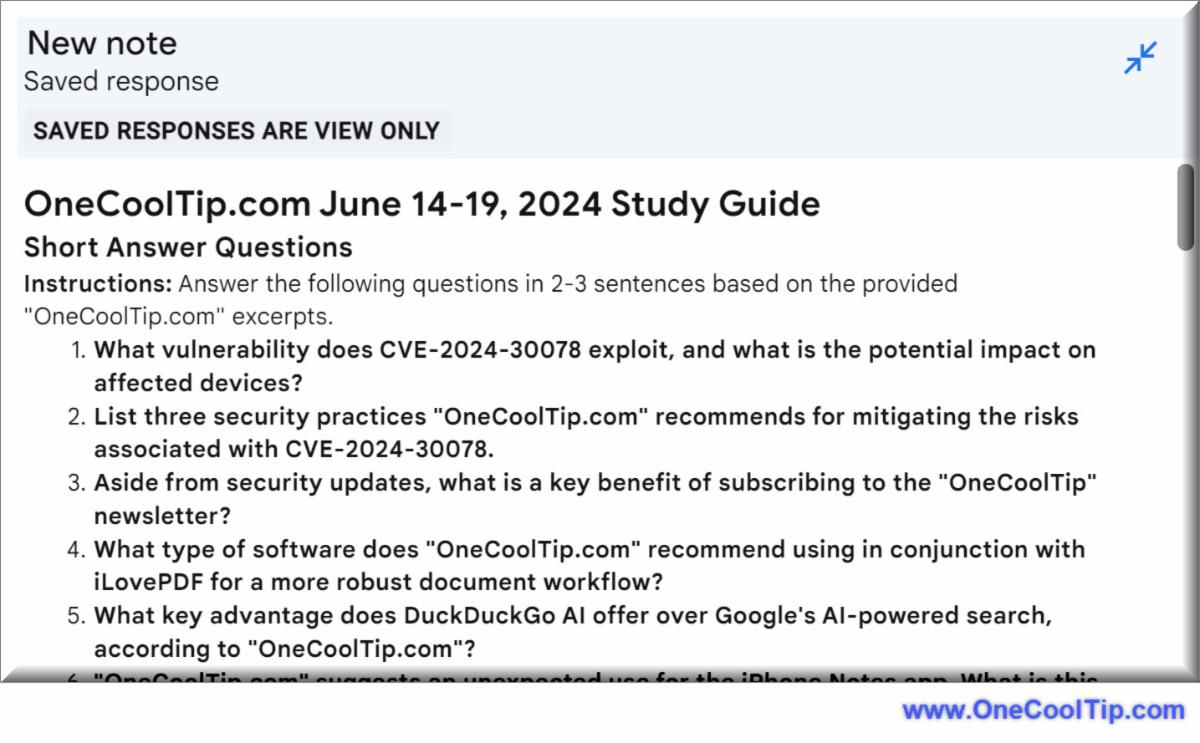
Google NotebookLM: Boost Your Research Workflow with New Features

๏ปฟGoogle NotebookLM just got a major upgrade with expanded source integration, inline citations, and AI-generated guides to streamline your research workflow.


Read the One Cool Tip

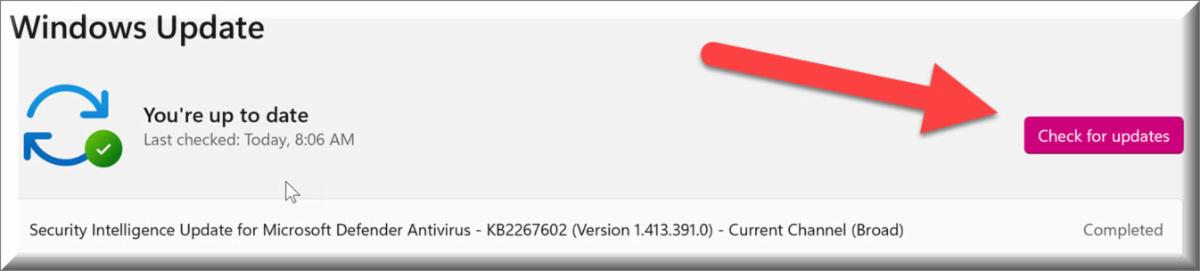
๐Ÿšจ Urgent Alert: Windows Wi-Fi Vulnerability Exposes Millions to Hackers  ๐Ÿšจ๏ปฟ

A newly discovered vulnerability in the Windows Wi-Fi driver could allow attackers to execute code on your device remotely. Learn how to protect yourself from this serious threat.


Read the One Cool Tip
โ€Š


One Cool Tip Favorite Thing

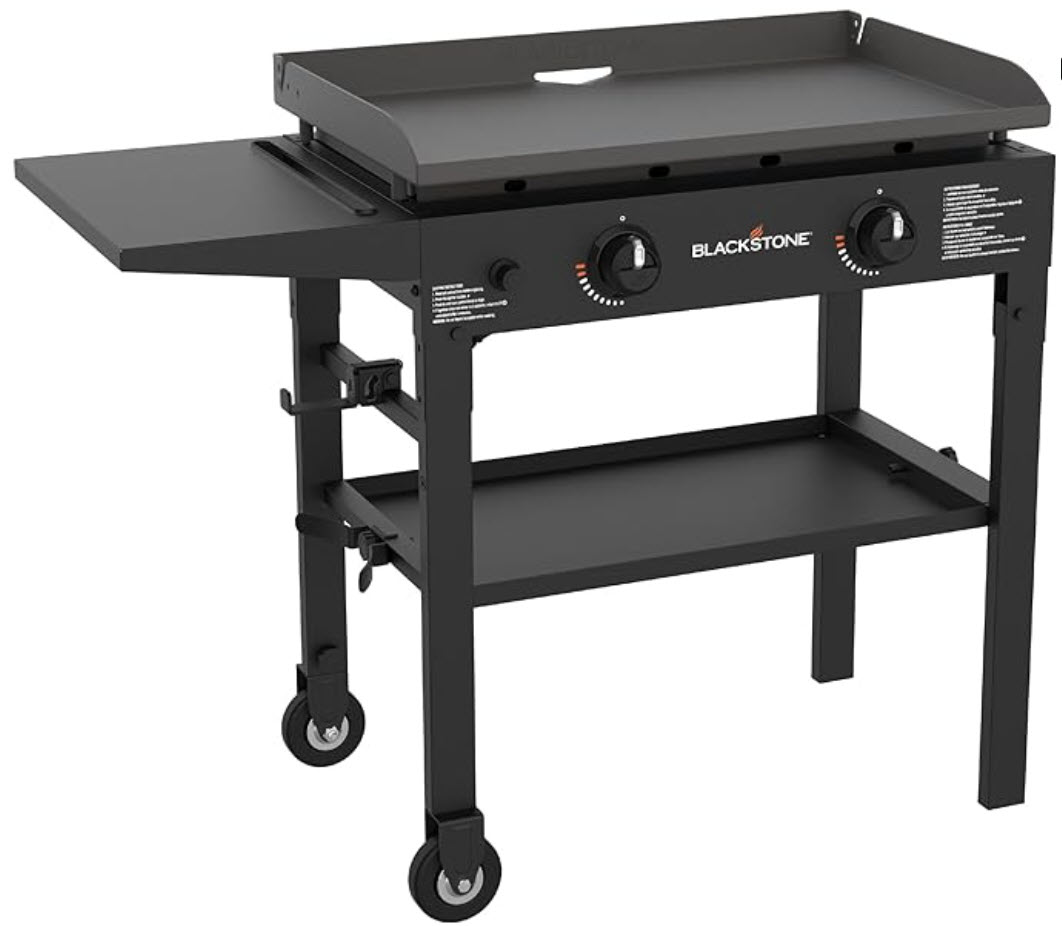
Elevate your outdoor cooking game with the Blackstone 28" Flat Top Griddle! 

Tired of cramped grilling? 


Craving restaurant-style flavor at home? Look no further! This 2-burner powerhouse boasts 470 sq. inches of cooking space, perfect for feeding the whole crew. 


From sizzling steaks to fluffy pancakes, this versatile griddle handles it all.


Plus, with its innovative rear grease management system, cleanup is a breeze.

๏ปฟ

Don't miss out on this summer essential! Grab your Blackstone griddle today and unlock a world of culinary possibilities!


Buy: https://amzn.to/3QVYpM8


Check Out These Cool Things!
โ€Š


ICYMI - In Case You Missed It ...

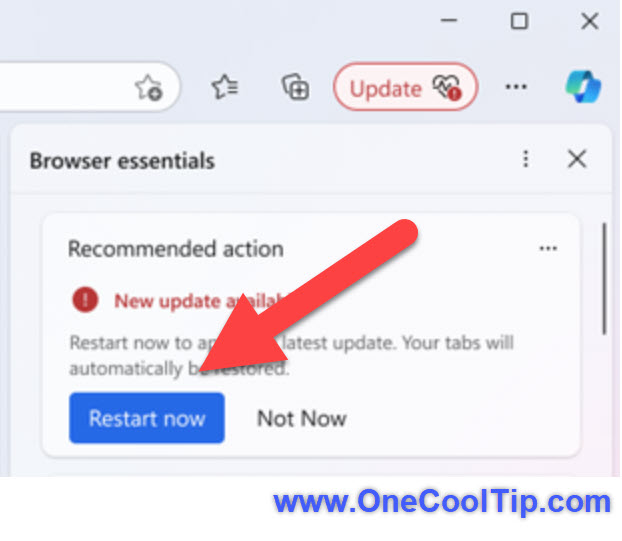
Never Miss an Update Again: How Microsoft Edgeโ€™s New Notifications Keep You Ahead๏ปฟ

Embrace the simplicity of staying current with Microsoft Edgeโ€™s new update notifications, ensuring your browser is always at its best.


Read the One Cool Tip


One Cool Tip Video

How to Unlock the Power of the Windows Character Map


Watch


Cool Tip Comics

Yes, yes it is. lol.


Until Tomorrow

Answer: D) .psd . The file extension .psd stands for "Photoshop Document." It is the native file format for Adobe Photoshop, a widely used image editing and graphic design software.


The file extensions .docx, .xlsx, and .pptx are all part of the Open XML format, which is the default file format for Microsoft Office documents since 2007.


Here's a quick breakdown of each:


  • .docx: This is the file extension for Microsoft Word documents. It replaced the older .doc format. Documents saved in this format are typically smaller in size and less prone to corruption compared to the older format. They also support newer features like embedded media and advanced formatting options.


  • .xlsx: This is the file extension for Microsoft Excel spreadsheets. It replaced the older .xls format. Similar to .docx, spreadsheets saved in this format are smaller, more secure, and support more advanced features like pivot tables and charts.


  • .pptx: This is the file extension for Microsoft PowerPoint presentations. It replaced the older .ppt format. Presentations in this format offer improved compression, better compatibility, and a wider range of multimedia and animation features.


That's all for today, but stay tuned!


Tomorrow's Cool Tip is waiting to amaze you.


Until then, go forth and conquer the tech world with your newfound knowledge!


And be sure to visit www.OneCoolTip.com for Cool Tech Tips for a Cooler Life!


Enjoy!

๏ปฟ


Rodger

Chief Cool Tipper

onecooltip.com@gmail.com


What Do You Think?

What do you think of today's OneCoolTip newsletter?
Great
OK
Terrible

Please Share the One Cool Tip Newsletter!


๏ปฟYou asked for it. You got it. There is now a One Cool Tip Newsletter archive. Did you delete a newsletter and want to read it again? Check it out HERE.


Want to help One Cool Tip grow? Please forward this email using the link above. And if you see a OCT social media post, please LIKE, COMMENT and SHARE!


Have you subscribed to the One Cool Tip YouTube channel? Subscribe HERE.

X Share This Email
LinkedIn Share This Email

Connect with One Cool Tip!!

Facebook  X  Instagram  Web  Pinterest  YouTube  LinkedIn
โ€Š

As an Amazon Associate, One Cool Tip may earn a small commission from qualifying purchases.


Our media content is intended solely for informational purposes only. Please do not construe anything here as legal, tax, investment, financial, marital or other advice.


Copyright ยฉ 2024 | www.OneCoolTip.com | All Rights Reserved


โ€Š