One Cool Tip Newsletter

August 10, 2024

Your daily dose of tech-savvy brilliance!

😀Hello Rodger, Happy Saturday, Cool Tipper!


Get ready to streamline your digital life with simple, actionable tips delivered straight to your inbox.


Today's Cool Tip Theme: Messaging


IN THIS ISSUE


  • 🌟 Tech-Savvy Brilliance: Your daily dose of simple, actionable tech tips.


  • 🖥️ WhatsApp on PC
  • 💬 WhatsApp Usage Tips
  • 📊 Messaging Stats
  • 🕒 Disappearing Messages
  • 🔒 Unsend on iPhone
  • 🚀 Silence Unknown Callers


  • 😂 Laugh with Us! Enjoy our Tech Joke of the Day, Haiku and Cool Tip Comics.


  • 🌐 Stay Informed! Check out Cool News, ICYMI, and our One Cool Tip Video.


New here? Subscribe to the One Cool Tip Newsletter for daily updates. It's FREE!


🔔 Is your email provider (Gmail, Yahoo, Outlook...) not delivering the newsletter? 


Check the Junk folder - Move the newsletter to your Inbox. And reply to this email with a “Hey, Rodger” or “I got it.” That tells your mail service you want this newsletter!


Today's Tech Trivia


Which popular messaging app introduced the concept of "disappearing messages" where sent messages automatically vanish after a set period?


A) WhatsApp

B) Telegram

C) Signal

D) Facebook Messenger


Answer at end.

3️⃣

If you enjoy the One Cool Tip newsletter, please forward this newsletter to THREE friends or colleagues or share it on social media using the links below.


Share this One Cool Tip Newsletter!

X Share This Email
LinkedIn Share This Email
Pinterest Share This Email


Cool Thoughts

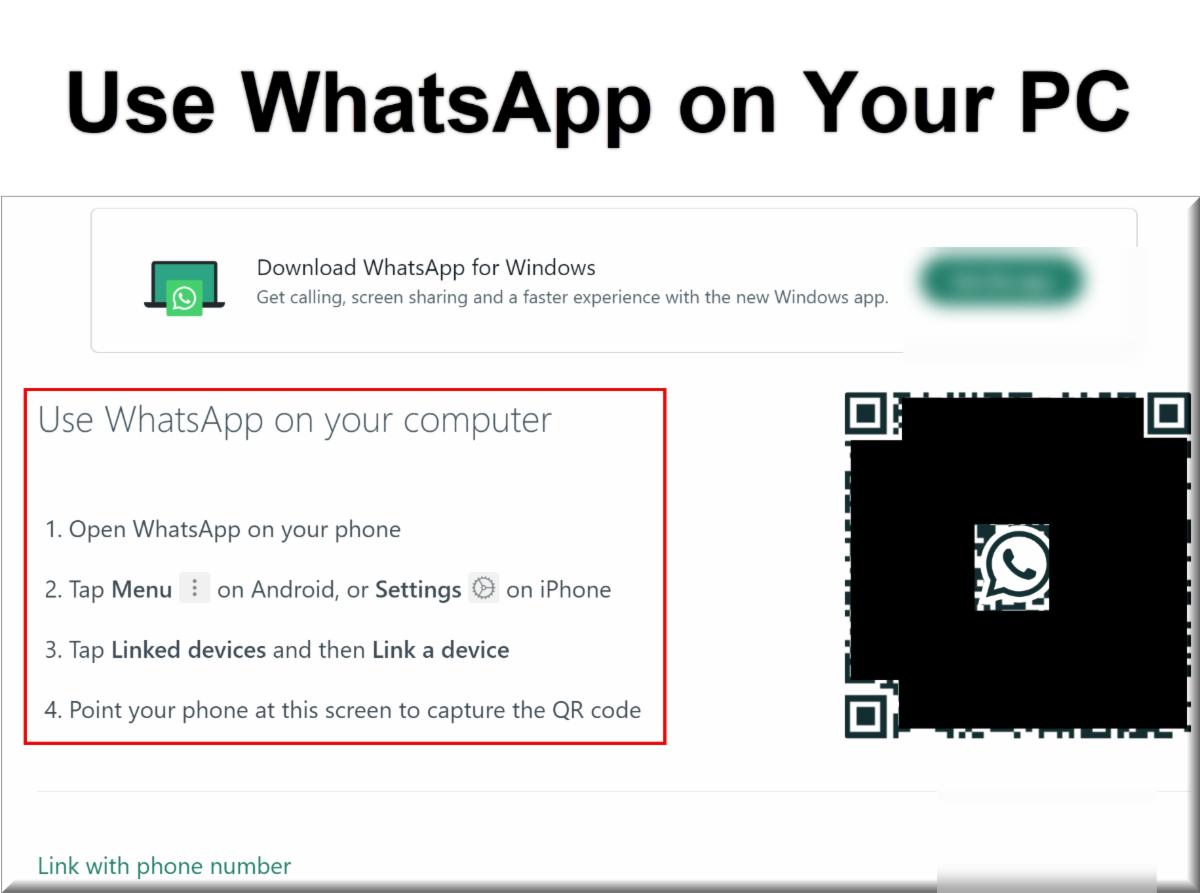
📦Today's One Cool Tip Shows How to Set Up and Use WhatsApp on a PC


Discover how to effortlessly access your WhatsApp chats and media from your computer with WhatsApp Web.


This Cool Tip shows how to set it up on your PC, its features, and tips for a seamless messaging experience across devices.


Read the full Cool Tip HERE.


🆒Tell Me More About WhatsApp


Here are some cool tips for using WhatsApp that can enhance your messaging experience and productivity:


  • Format Your Text: Spice up your messages with bold, italics, strikethrough, and monospace formatting.


  • To bold text, add an asterisk (*) before and after the text.
  • To italicize text, add an underscore (_) before and after.
  • To ~strikethrough~ text, add a tilde (~) before and after.
  • To create monospace text, add three backticks (```) before and after the text.


  • Star Messages: Mark important messages for easy reference later. Simply long-press on a message and tap the star icon. You can view all your starred messages by going to the chat's info and tapping "Starred Messages."


  • Quote Messages: When replying to a specific message in a busy chat, quote it to provide context. Long-press on the message, then tap the reply arrow and type your response.


  • Mute Notifications: Silence notifications for specific chats or groups without leaving them. Long-press on the chat, tap the mute icon, and choose the duration.


  • Use Stickers and GIFs: Express yourself with fun stickers and GIFs. Tap the emoji icon, then the sticker or GIF tab to browse and send them.


  • Send Voice Messages: When typing is inconvenient, send a voice message by holding the microphone icon and speaking.


🔢 By the Numbers


Here are some captivating facts about PC and mobile phone messaging.


  • First phone call and text: The first phone call was made in April 1973, and the first text message was sent in December 1992. Source.


  • SMS vs. Email: Text messages have an open rate of 98% within minutes, compared to 20% for emails. Source.


  • SMS Marketing: 75% of consumers appreciate receiving messages from brands (after opting in), and SMS coupons are redeemed 10 times more than other types of coupons. Source.


  • Engagement rates: Text messaging offers higher engagement rates for small business owners compared to email, with 86% preferring SMS. Source.


  • First SMS: The very first SMS was sent on December 3, 1992, by a 22-year-old software programmer, and it read "Merry Christmas". Source.


  • Texting frequency: On average, people check their text messages 11 times a day, whereas they check their email less frequently. Source.


  • Response rates: SMS response rates are 750% higher than email, with an average response rate of 45% for texts compared to 6% for emails. Source.


Must-Read Tech Tips.


👀 How Do I Set When WhatsApp Messages Disappear?


Disappearing messages is an optional feature you can turn on for more privacy.


You can set messages to disappear 24 hours, 7 days, or 90 days after they’re sent unless that message is kept. 


The duration you choose only affects new messages in the chat, not messages you’ve already sent or received.


You can choose to turn disappearing messages on for all chats or select specific chats. In individual chats, either you or the person you’re messaging can turn disappearing messages on or off.


Here's how to do it.


  1. Open any individual or group chat in WhatsApp.
  2. Tap the contact name (individual) or group name (group).
  3. Select "Disappearing messages" from the menu.
  4. Decide how long your messages will live before they self-destruct: 24 hours, 7 days, or 90 days.
  5. Compose your message as usual and press send.
  6. A timer icon will appear next to the message, indicating its expiration date.
  7. Both you and the recipient will be notified about the disappearing message setting.
  8. Watch Them Fade Away.


Discover more HERE.


🤔 Have You Ever Wondered How to "Unsend" an iPhone Message?


iPhone users can "Unsend" an iMessage.


To Unsend a message:


  1. While in an iMessage conversation, press and hold the message you want to "Unsend".
  2. Tap "Undo Send"
  3. Your message will be unsent.


A few notes:


  • You can only Unsend a message within 2 (two) minutes of sending it.
  • The message can be read by the recipient before you unsend it.
  • While the message will be gone from the recipients phone, the recipient will see that you unsent a message.
  • If the recipient is on an older version of iPhone (15 or before) or on another device such as Android, the message can not be unsent. The recipient will still be able to see the original message


Learn more HERE.


🙋‍♂️ Here's How to Silence Unknown Callers on WhatsApp.


Are you tired of being interrupted by spam calls on WhatsApp?


You can change the setting to reduce the number of spam calls you receive.


Here's how to do it:


  1. Open WhatsApp on your mobile device.
  2. Select Settings.
  3. Select Privacy.
  4. Select Calls.
  5. Toggle on the option to "Silence unknown callers."


Get more HERE.


❓Did you share this newsletter with three friends yet?


⌨️Today's Cool Keyboard Shortcuts


Here are some useful Gmail Chat keyboard shortcuts for Windows users:


Navigation


  • Ctrl + Alt + C: Open Chat list
  • Ctrl + K: Browse spaces or start a DM
  • Ctrl + . (period): Move focus to next chat or space
  • Ctrl + , (comma): Move focus to previous chat or space


Chat Actions


  • Enter: Send a message
  • Shift + Enter: Start a new line in a message
  • Ctrl + Enter: Send an emoji reaction
  • Up Arrow: Edit your last sent message
  • Ctrl + Shift + C: Start a new group conversation


Other Useful Shortcuts


  • Ctrl + /: Search for people and messages in Chat
  • Ctrl + Shift + U: Mark a conversation as unread
  • ?: View a list of all available keyboard shortcuts


✍️Today's Haiku


Words dance on the screen,

Bridging gaps, hearts connect afar,

Silent symphony.


🔎 Do you have a Cool Tip or question? Email us at onecooltip.com@gmail.com


😜 Tech Joke of the Day😅


Watching those three little dots in a message bubble is like waiting for a plot twist in a movie—will they respond, or just leave me hanging?


Today's Cool Tip

WhatsApp Web: Your Secret Weapon for Effortless Messaging on PC

Discover how to effortlessly access your WhatsApp chats and media from your computer with WhatsApp Web.


This Cool Tip shows how to set it up on your PC, its features, and tips for a seamless messaging experience across devices.

Read the One Cool Tip


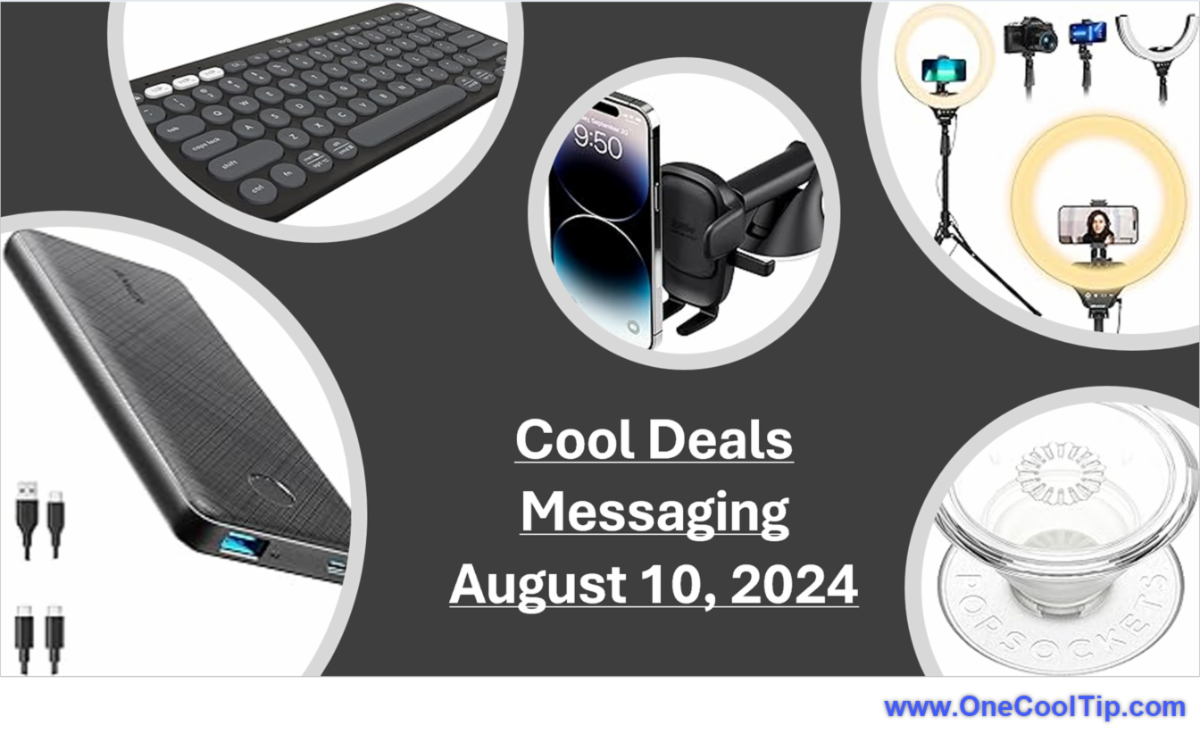
Cool Deals of the Day

🆒 Looking for cool new things?


⌨️ A compact, portable keyboard that connects to your phone for faster, more comfortable texting.

Text like a pro with this convenient keyboard.

Logitech K380 Multi-Device Bluetooth Keyboard $32.99


🤳 Description: A versatile phone grip that makes it easier to hold your phone and text with one hand.

Text comfortably and securely with this handy phone grip.

PopSockets PopGrip $9.97


🔋 Description: A portable power bank that ensures your phone never runs out of battery while texting.

Never miss a text with this reliable power bank.

Anker PowerCore Slim 10000 PD $25.99


🚗 Description: A safe and convenient way to mount your phone in your car for hands-free texting and navigation.

Keep your eyes on the road and your hands on the wheel with this car phone mount.

iOttie Easy One Touch Car Mount $21.95


💡 Description: A ring light that clips onto your phone to improve lighting for video calls and selfies while texting.

Look your best while texting with this portable ring light.

UBeesize Ring Light with Tripod Stand & Phone Holder $39.99


Cool Tip Pulse

🤔 How do you prefer to message?
📱 Mostly on my phone - it's always with me!
💻 Primarily on my computer - bigger screen, faster typing!
🖥️ Depends on the situation - I use both equally
🙅‍♀️ I rarely message - I prefer calls or face-to-face!


Fuel Your Adventure

Try Big Mike's Jerky! - bigmikesjerky.com


Cool News Around the Web

Check out these news links:


Did You See These Cool Tips This Week?

Drive and Listen to the World from Your Couch

Discover how to travel the globe virtually with Drive and Listen, experiencing the sights and sounds of cities worldwide from the comfort of your home.

Read the One Cool Tip

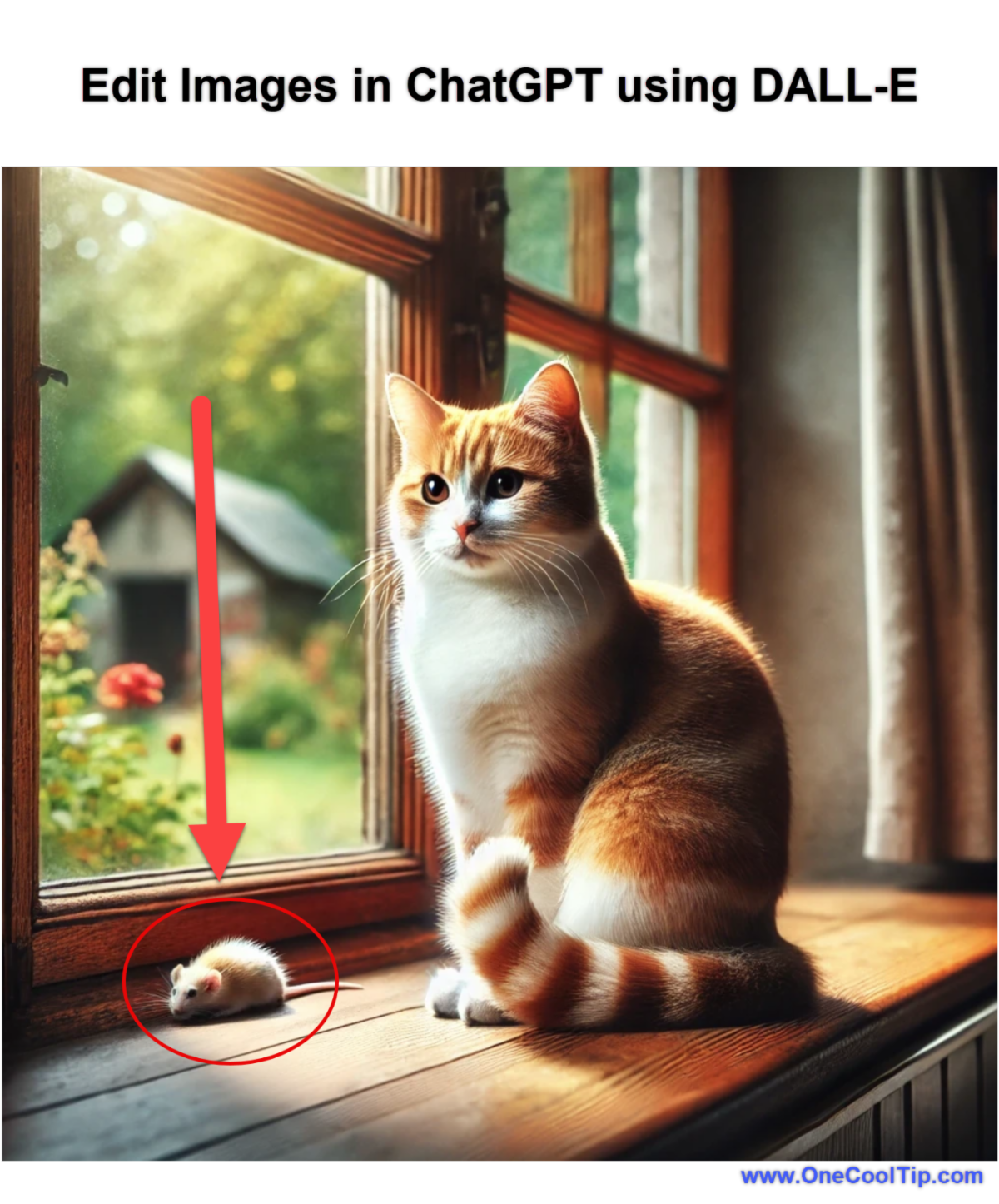
Unlock Creativity by Editing Images in ChatGPT with DALL-E

Discover how to harness the power of OpenAI's DALL-E new editing capability in ChatGPT.


This Cool Tip shows you how to refine AI images for creative tasks.

Read the One Cool Tip


Find Your Adventure

Looking for your next adventure?


Call Denise at Travel For You.

314.660.3039


http://www.travelforyouvacations.com/


https://www.facebook.com/TRAVEL.FOR.U/


One Cool Tip Favorite Thing

Apple Watch 9

Elevate Your Life with the Apple Watch Series 9

Experience the ultimate smartwatch designed for health, fitness, and seamless connectivity. 


The Apple Watch Series 9 boasts new temperature sensing for advanced health insights, enhanced workout tracking, crash detection for peace of mind, and an even brighter, always-on display. 


 Upgrade your wrist, upgrade your day – grab this Apple Watch 9 deal today!


Buy Now: https://amzn.to/3W9S4OT


Check Out These Cool Things!


ICYMI - In Case You Missed It ...

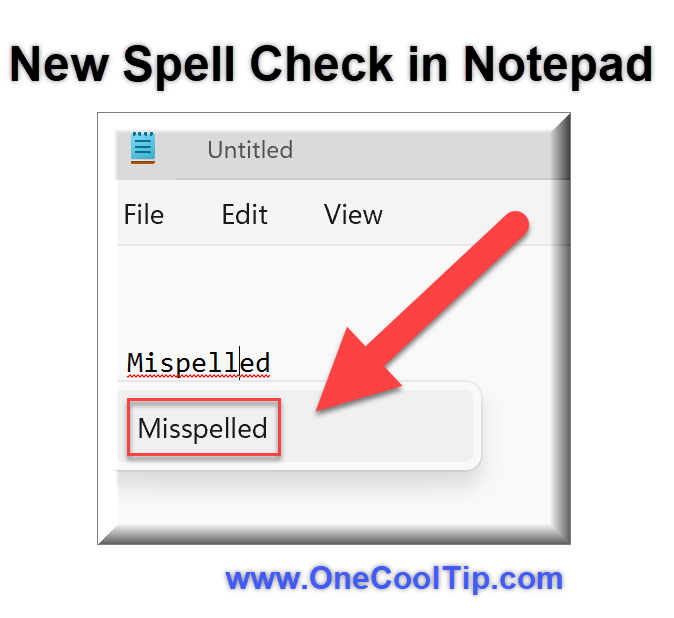
How to Use Notepad’s New Spell Check in Windows 11

Learn how to enable and use the new spell check feature in Notepad for Windows 11. Discover step-by-step instructions and the advantages of having this long-awaited functionality in your favorite text editor.

Read the One Cool Tip


One Cool Tip Video

How to Free Up Storage Space in Google Drive


Are you running out of storage space in your Google Drive? 


Watch


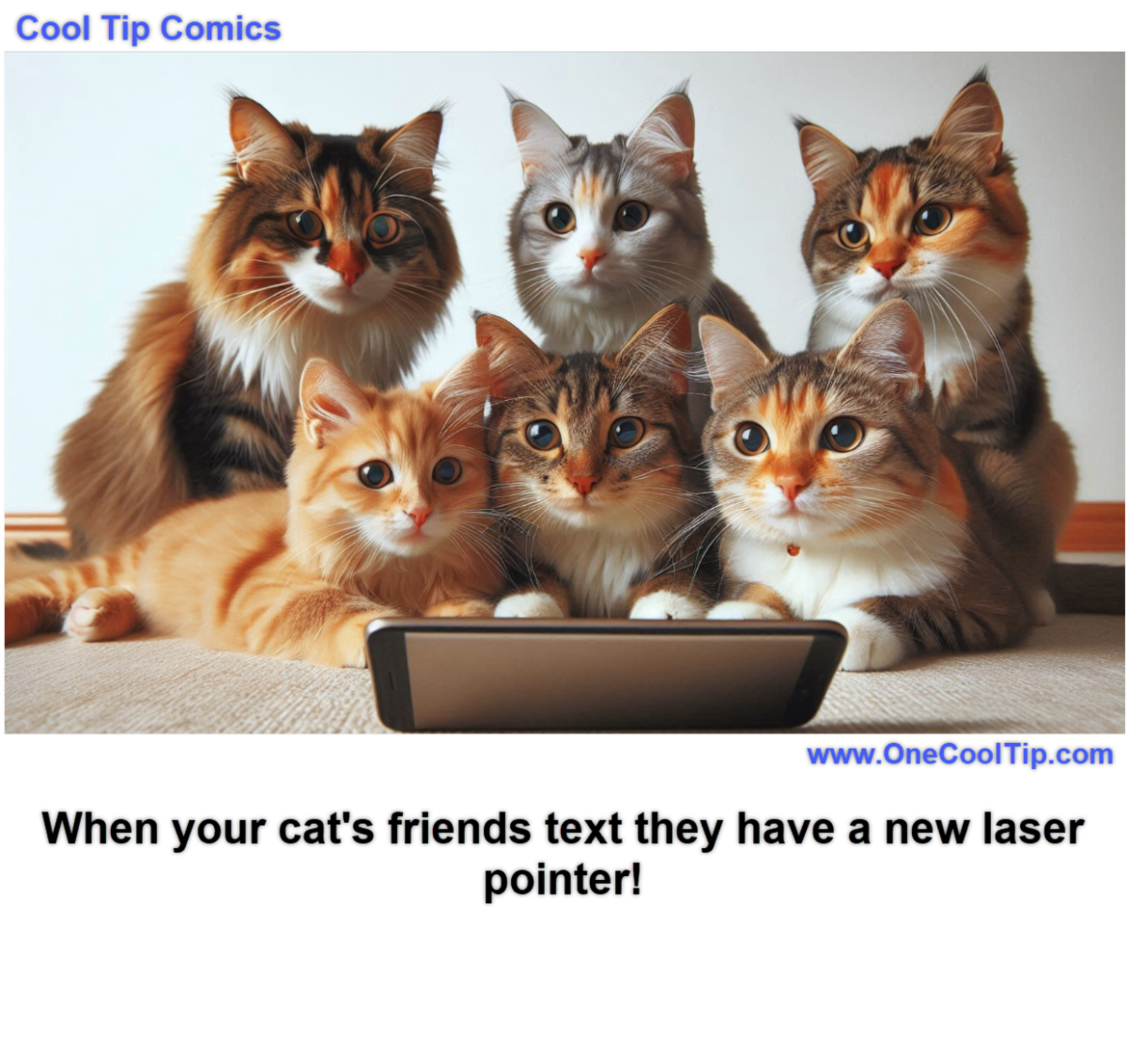
Cool Tip Comics

Texting is the best way to share good news!


See You Tomorrow

Answer: A) WhatsApp


WhatsApp, one of the most widely used messaging apps globally, pioneered the concept of disappearing messages.


This feature allows users to set a timer (24 hours, 7 days, or 90 days) for messages to automatically delete themselves from both the sender's and recipient's devices.


It adds a layer of privacy and ephemerality to conversations, particularly useful for sharing sensitive information or simply decluttering chat histories.


While other apps like Telegram and Signal offer similar features,


WhatsApp's widespread adoption played a significant role in popularizing the concept of disappearing messages in mainstream communication.


----------


Tomorrow's Cool Tip is waiting to amaze you.


Until then, go forth and conquer the tech world with your newfound knowledge!


And be sure to visit www.OneCoolTip.com for Cool Tech Tips for a Cooler Life!


Enjoy!


Rodger

Chief Cool Tipper

onecooltip.com@gmail.com


What Do You Think?

What do you think of today's OneCoolTip newsletter?
👍 Great
😐 OK
👎 Terrible

Please Share the One Cool Tip Newsletter!


You asked for it. You got it. There is now a One Cool Tip Newsletter archive. Did you delete a newsletter and want to read it again? Check it out HERE.


Want to help One Cool Tip grow? Please forward this email using the link above. And if you see an OCT social media post, please LIKE, COMMENT and SHARE!


Have you subscribed to the One Cool Tip YouTube channel? Subscribe HERE.

X Share This Email
LinkedIn Share This Email

Connect with One Cool Tip!!

Facebook  X  Instagram  Web  Pinterest  YouTube  LinkedIn

As an Amazon Associate, One Cool Tip may earn a small commission from qualifying purchases.


Our media content is intended solely for informational purposes only. Please do not construe anything here as legal, tax, investment, financial, marital or other advice.


Copyright © 2024 | www.OneCoolTip.com | All Rights Reserved